


Astrology Planner & Birth Chart JournalAstrology Planner & Birth Chart Journal — Natal Chart, Transits & Saturn Return Workbook
Web app for phone or laptop. You enter your birth chart once, then track transits and journal by date.
Natal Chart, Transits & Saturn Return Workbook
Enter a birth chart once, then keep your transits, Saturn return, North Node practice and journal notes together in one astrology journal that runs in your browser.
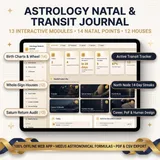
One web app instead of printed charts and scattered notes: every birth chart, transit, Saturn return date and journal entry together on your phone or laptop.
This is the same routine a community of more than 2,400,000 followers has used for 8 years, with 38,000+ students sharing their results along the way.
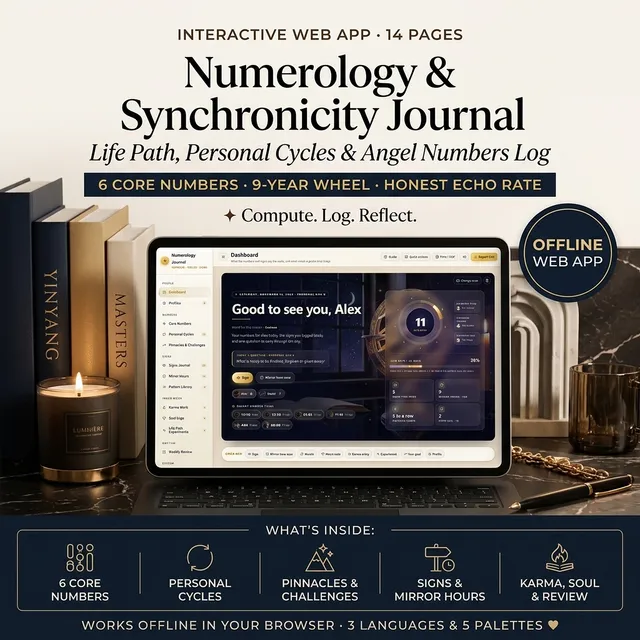
Add Life Path Number & Angel Numbers Journal — both in one checkout
Add this companion web app and get both in one checkout:
14-day refund policy ·Read the terms
“It stopped being a cloud over my year and became a list I could actually work on.”
“My restless weeks lined up with the times I was overbooked, not with the sky.”
- Ready to use right after payment
- Secure checkout by Stripe
Before you buy
What's inside
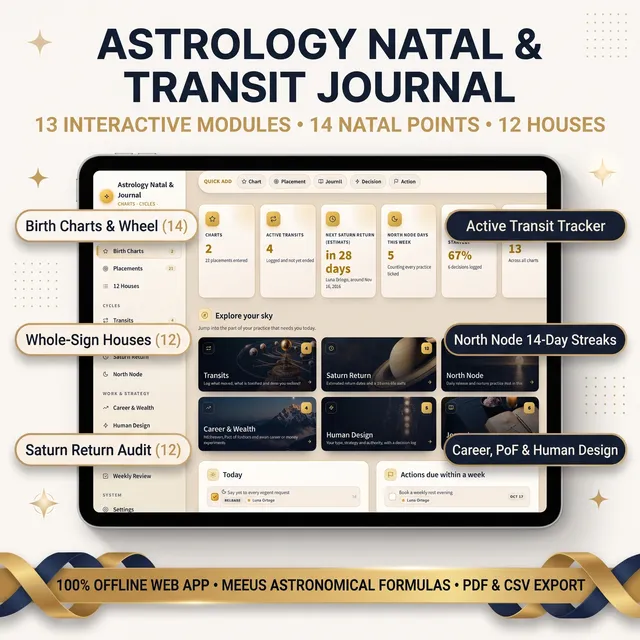
- The full astrology journal web app with 13 pages
- Two fictional sample charts (Luna and Theo) to show how everything connects, with a one-click "Start with a clean slate"
- A library of six cover artworks, five color palettes and three languages
- Quick actions with Ctrl+K (Cmd+K on Mac)
- A short quick-start guide
How to use it in 3 steps
- 1Open it in your browser. It works offline.
- 2Add a chart. In Birth Charts press "Add a chart", enter a name and birth date, and keep the Sun and North Node fill on.
- 3Add placements. Type the sign and degree of the other points from your chart report.
At a Glance
- Format: Web app (opens in your browser, works offline, saves on your device)
- Devices: Computer, tablet and phone, in any modern browser
- Privacy: No account. Your charts and notes stay on your device
- Export: Backup file, spreadsheet export of charts and placements, print or save as PDF, PNG of the element chart
- Languages and looks: English, Tiếng Việt and 简体中文; five color palettes
Key Capabilities
This astrology planner is built around one idea: the chart is a person, and everything you notice belongs to it.
- A dashboard you will want to open: a night-sky observatory cover with your chart progress ring and next Saturn date. Every page opens with its own photo banner, the dashboard has photo shortcuts to the main pages, and you can add a picture to the cards that matter. Change any cover or card photo from the built-in library of 11 images, or upload your own; your photos stay on your device.
- Birth Charts hub: Add charts for yourself, a partner, family, friends or clients with birth date, optional time and place. Open any chart to see its placements, transits, practices, experiments, decisions and journal entries together.
- Placements and wheel: Enter sign and degree for 14 points (Sun, Moon, Ascendant, Midheaven, the planets, North Node, Part of Fortune). A chart wheel and element balance draw themselves.
- 12 Houses: A card for each whole-sign house with its theme, the placements inside it and the notes and actions you tagged to it.
- Transit log: Record the transits you are watching, the natal placement they touch, dates, intensity and what you noticed. Filter by active, upcoming or past.
- Saturn Return: Estimated return windows, progress through the cycle, and a twelve-area life audit with a lesson and next step for each.
- North Node: Your North Node and South Node, estimated node returns, and daily "release" and "nurture" practices with streaks.
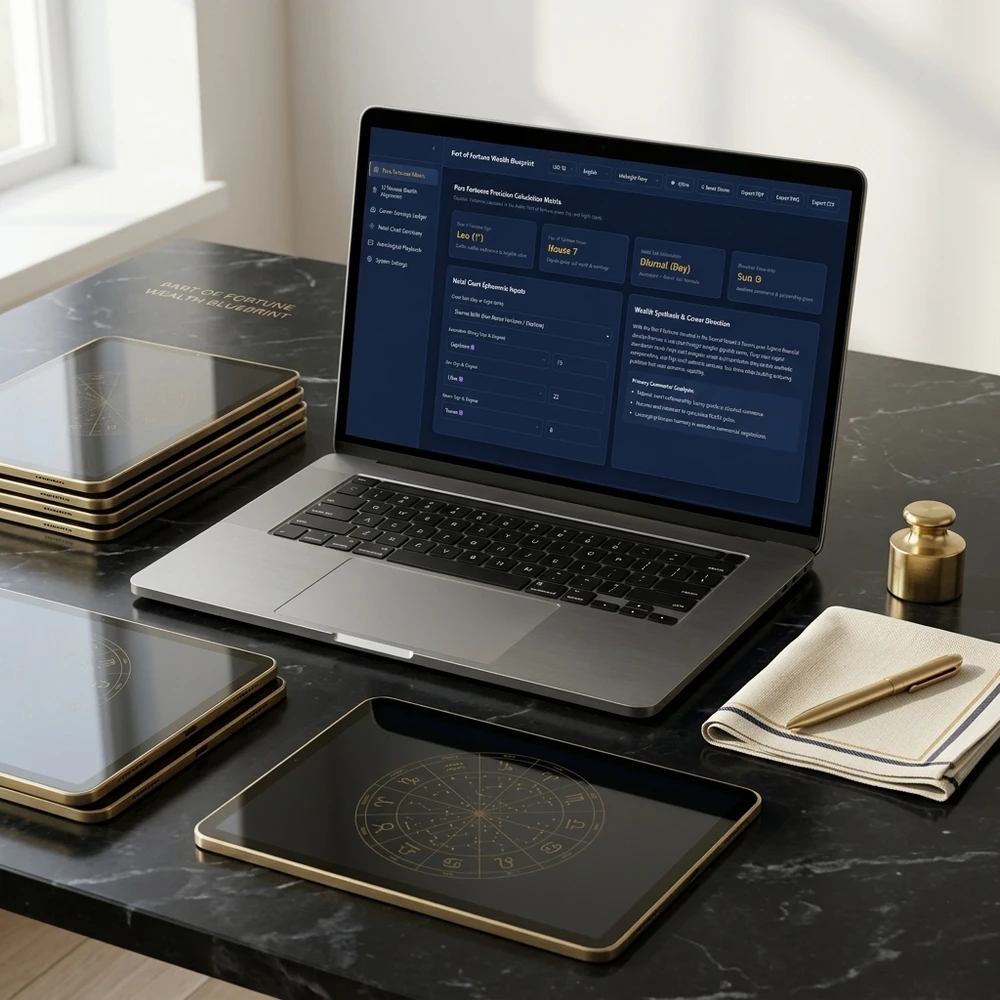
- Career & Wealth lab: Midheaven and Part of Fortune cards, a Part of Fortune calculator, and small career or money experiments with a hypothesis and result.
- Human Design decisions: Enter your type, authority and profile from your own report, then log decisions and compare how they felt when you followed your strategy.
- Journal and Weekly Review: Insights, patterns, dreams and questions, plus a weekly review that fills its own numbers.
Who It's For
- Anyone who already has a birth chart report and wants a place to work with it.
- Readers going through a Saturn return who want to track it instead of just reading about it.
- Astrology students and practitioners who keep several charts.
- Human Design users who want a simple decision log.
What's Included
- The full astrology journal web app with 13 pages
- Two fictional sample charts (Luna and Theo) to show how everything connects, with a one-click "Start with a clean slate"
- A library of six cover artworks, five color palettes and three languages
- Quick actions with Ctrl+K (Cmd+K on Mac)
- A short quick-start guide
How to Use It
- Open it in your browser. It works offline.
- Add a chart. In Birth Charts press "Add a chart", enter a name and birth date, and keep the Sun and North Node fill on.
- Add placements. Type the sign and degree of the other points from your chart report.
- Log transits and practices. Note transits you are watching and tick your North Node practices each day.
- Review weekly. Open Weekly Review and add what moved, what got in the way and one shift for next week.
This journal is for reflection and practice. It does not predict or guarantee any outcome.
Questions before you buy
Not entirely, and it says so. It calculates the Sun, the mean North Node, the Part of Fortune, whole-sign houses and estimated Saturn and North Node return dates. Other planets, the Ascendant and the Midheaven are typed in from your own chart report, then the wheel and element balance draw themselves.

Astrology Planner & Birth Chart Journal
Pay once. No monthly fee. Ready to use right after payment.
You may also like

How readers changed with these practices
For more than 8 years, a community of over 2,400,000 followers and 38,000+ students has shared how these daily practices helped in love, money and inner calm.
 Real stories
Astrology Journal Results: Real Stories
Does an astrology journal help? Real stories of tracking a Saturn return, logging transits and keeping several birth charts, plus the weekly practice.
Read guide Real stories
Chinese Zodiac Family Planning: Real 2027 Stories
How families read the Chinese zodiac together for 2027: real stories of checking Tai Sui, reading compatibility and picking a harmony day.
Read guide
 Real stories
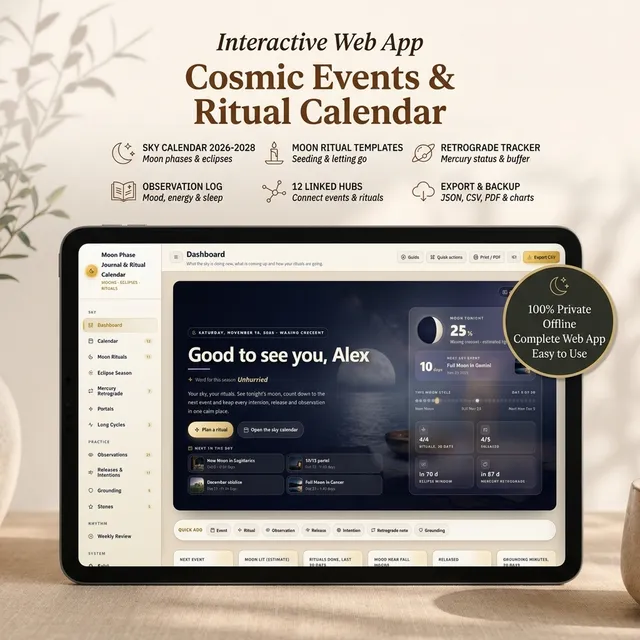
Moon Phase Journal Results: Real Stories
Does a moon phase journal help? Real stories of new moon intentions, full moon releases, eclipse season and Mercury retrograde, plus the monthly practice.
Read guide Real stories
Numerology App Results: Real Stories
Does a numerology app help? Real stories of checking a life path number, logging 11:11 calmly and planning a Personal Year, plus the practice inside.
Read guide
Guides featuring this tool

From the blog
Latest articles




Trending now
What readers are opening this week
Ranked by real visits over the last 7 days.

Turn what you just read into a daily practice
Interactive planners and journals built on these guides: moon rituals, manifestation scripting, habit and focus systems. Ready to use right away and yours to keep.

Get Your Free 2027 Angel Number Year Map
Enter your birthday to reveal your 2027 Personal Year, the angel number guiding each month, and a private workspace to set your intentions.
Follow along
Daily rituals on your feed
Short guides, moon rituals and planner walkthroughs from Yin Yang Masters.



Keep exploring
More from Yin Yang Masters



Ask Yinyang Masters inside your AI assistant
Get the same calculations and guidance right in your chat: add the free Yinyang Masters app, then ask in plain English. No account needed.
Try asking: “Find a Yinyang Masters guide about starting a daily spiritual practice.”

Meet Moon Keeper, our live altar host
Every hour Moon Keeper reads the sky, draws one tarot card and shares a calm 3-minute reflection. Drop by the altar, follow the hourly diary and leave a note in the guestbook.

Get the Yin Yang Masters Letter Every Day
One short email a day: a practice for today, a real reader story, and the newest guide on love, money and inner calm.
For more than 8 years, a community of over 2,400,000 followers and 38,000+ students has shared how these daily practices helped in love, money and inner calm.