The best digital vision board app combines clean visual layout tools with captions, seasonal milestones, and a five-minute daily review so images stay tied to action. Free options like Canva, Pinterest, Freeform, and Notion work well for collages, while offline web kits link photos directly to goals.
Try it right here
Loading tool...
Keep writing what you just started★★★★★ 4.9 · 38k+ students
Enter your birthday to see your 2027 Personal Year and the angel number for each month, with space to write your intentions.
Quick answers
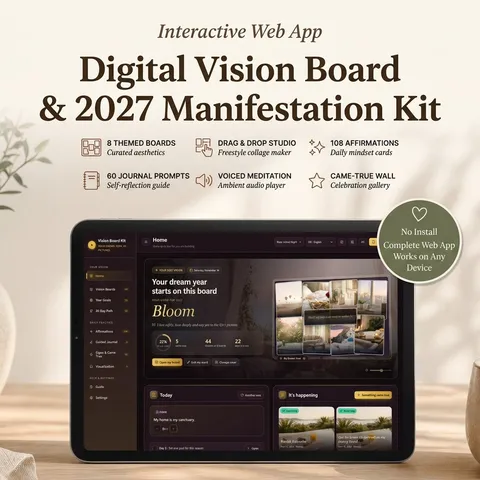
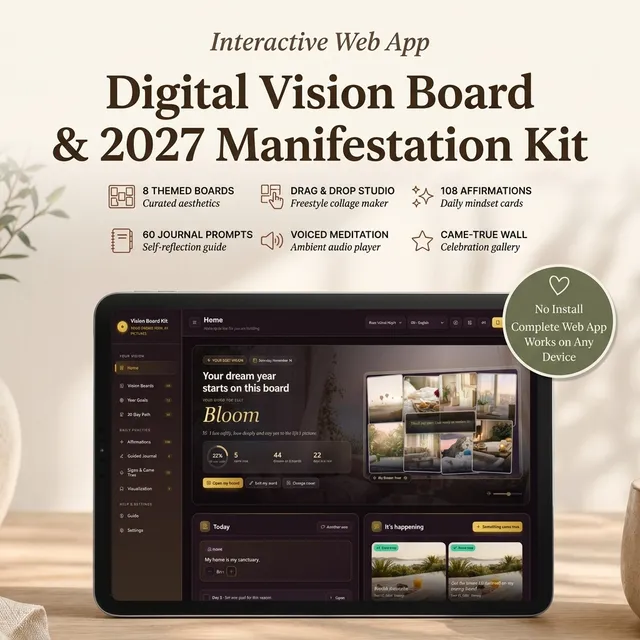
Yes. Digital Vision Board & 2027 Manifestation Kit — Vision Board Maker, Goals, Affirmations & Guided Visualization is built for this: Build 8 themed vision boards with your own photos and words: drag, resize, rotate, then save one as your phone wallpaper.
Best Digital Vision Board Apps (Free & Paid) and How to Make One That Works
Picking the right digital vision board app means finding a layout you will still open in March—not just a pretty wallpaper generator you abandon after New Year's weekend. The best platforms pair drag-and-drop imagery with captions, concrete milestones, and a realistic daily check-in so pictures stay connected to real decisions.
Static collages fail mostly because looking at dreamy photos without an action plan can actually drain motivation. Before building your next collage, explore what goes on a vision board from five real readers who kept theirs active by pairing every image with a caption and one next step.
7 Best Free & Paid Digital Vision Board Apps Compared
Whether you prefer a free visual canvas, a Notion vision board template, or an interactive private web app with seasonal goal columns and affirmations, the comparison below lays out each tool's actual workflow and limits. Research in process versus outcome mental simulation by Pham and Taylor found that visualizing the concrete steps toward a goal improves follow-through far better than picturing the finished outcome alone.
Tool or App
Tier & Access
Core Collage & Planning Features
Best For
Key Tradeoff
Digital Vision Board & 2027 Manifestation Kit
One-time purchase offline web app (desktop, tablet, phone)
Linking images directly to seasonal goals, affirmations, and daily check-ins privately
Browser local storage requires exporting a monthly backup; solo tool without social sharing
Canva
Free tier + paid Pro tier (web, iOS, Android)
Thousands of collage layouts, font pairings, stock photos, easy export to phone lock-screen or print dimensions
Fast visual design and graphic polish when you only need a finished image file
Images remain static once exported; no built-in goal tracker, signs log, or affirmation counter
Pinterest & Shuffles
Free ad-supported app (web, iOS, Android)
Huge discovery catalog, private secret boards, cutout sticker collages on Shuffles mobile app
Gathering initial visual inspiration cleanly before narrowing down 6 to 10 final photos
Algorithmic feeds and shopping pins quickly turn five-minute reflection into scrolling distraction
Notion
Free personal tier + paid tiers (web, desktop, mobile)
Customizable gallery databases where image cards open into full subpages for tasks, habits, and dates
Users already organizing work and personal notes inside a structured Notion workspace
Requires manual database setup before starting; full cloud sync slows offline journaling
Milanote
Free tier (up to 100 cards) + paid Pro tier
Freeform spatial pinboards combining photos, short text notes, color swatches, checklists, and links
Visual thinkers mapping long-term creative or lifestyle moodboards on larger desktop screens
Designed for creative project briefs rather than affirmation counters or seasonal review prompts
Apple Freeform
Free built-in app on iPhone, iPad, and Mac
Infinite zoom canvas, clean photo placement, sticky notes, hand-drawn arrows via Apple Pencil, iCloud sync
Zero-friction Apple users sketching quick visual maps with native hardware integration
Apple-exclusive ecosystem; no structured 30-day routine, guided audio, or goal progress bars
Padlet
Free limited boards + paid tiers (web, mobile)
Grid, wall, and shelf columns mixing uploaded photos, short notes, and links cleanly across browsers
Quick browser-based seasonal columns without graphic design alignment headaches
Classroom/collaboration interface feels more functional than restorative for quiet personal rituals
Free Tools vs. One-Time Vision Board Apps: What Actually Differs
Starting with a free tool is smart if you just want to test whether visual cues hold your attention for thirty days. Tools like Apple Freeform, Pinterest secret boards, or Canva's free collage maker cost nothing upfront and let you export crisp phone lock-screen images in under fifteen minutes.
Where free collage tools usually stall by February is separation: your lock screen sits on your phone, your to-do list sits in a calendar, and your written affirmations sit buried in notes. When three tools never touch, visual inspiration turns into decorative background furniture. One-time private web apps close that gap by keeping boards, seasonal goal percentages, and reflection logs on one offline canvas stored directly on your device—with zero monthly subscriptions or algorithmic clutter.
Notion Vision Board Template, Pinterest, and Action-Linked Examples
If you enjoy building inside Notion, a custom Notion vision board template works best when kept radically small. Instead of thirty aesthetic pictures pasted onto a massive dashboard, create one simple database in Gallery view showing 6 to 8 high-priority focus cards across Wealth, Career, Health, Travel, and Home. Set Card Preview to “Page Cover,” then add just two properties inside each page: “This Season's Step” and “Target Quarter.”
Limiting a board to six to eight grounded photos—each attached to a realistic next step—keeps focus clear all year.
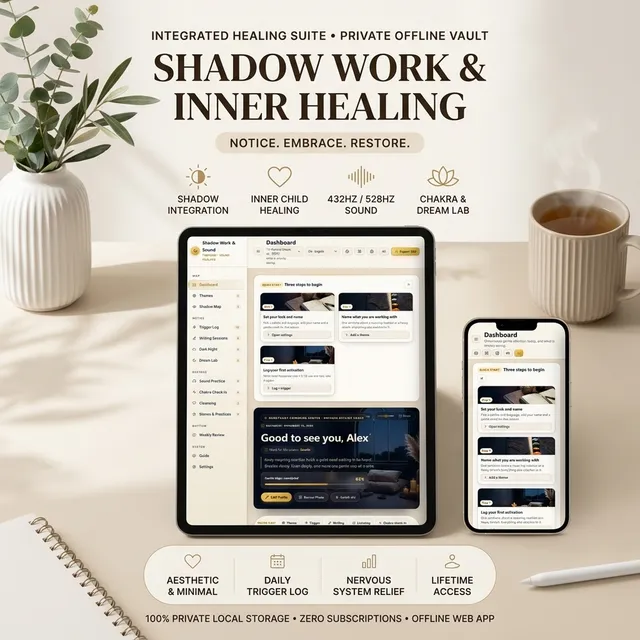
For readers who prefer skipping database setup entirely, the Digital Vision Board & 2027 Manifestation Kit opens directly in any browser on laptop, tablet, or phone and runs offline. Inside its drag-and-drop studio, you organize eight themed boards (Dream Life, Love, Wealth, Career, Health, Dream Home, Travel, and Self-Love) using either your own photos or 18 curated images across collage, grid, spotlight, or mosaic layouts. Every board ties into four 2027 seasonal columns—Plant, Grow, Bloom, and Harvest—alongside 108 affirmations (with one-click placement straight onto a board), 60 journal prompts, a Came-True wall, a signs log, and an ~10-minute voiced visualization called Step Into Your Vision. You can also export any finished layout as an image file or phone wallpaper without losing private ownership of your entries.
How to Choose the Best Online Vision Board App (and Run a 5-Minute Routine)
Choosing the best online vision board app doesn't depend on how many stickers an app includes—it depends on how easily you will interact with it during an ordinary workweek. Use research on positive fantasies and mental contrasting (WOOP) to avoid the trap of daydreaming without friction planning: pair every inspiring image with one concrete obstacle you expect to meet and one tiny if-then action.
Before Looking at Your Board: The 30-Second Somatic Reset
Scrolling visual goals while rushed or stressed often triggers comparison rather than calm direction. Before opening your board each morning, spend 30 seconds physically settling: uncross your ankles, drop your shoulders away from your ears, soften your jaw, and take two slow breaths inhaling for four seconds and exhaling for six seconds. Starting calm keeps you focused on steady effort rather than urgency.
The 5-Minute Action-Then-Release Routine
Minute 1 — Open One Active Theme: Pick just one focus board (such as Career or Health) instead of glancing over forty scattered pictures.
Minutes 2–3 — Read Your Image Caption & Say One Affirmation: Say one believable sentence attached to a specific picture aloud—for structured phrasing ideas, borrow the concise card format from our Bob Proctor goal card guide.
Minute 4 — Complete or Schedule One Physical Step: Move one tangible needle today for 10 minutes—update a portfolio slide, book a lesson, or transfer savings—echoing the practical loop inside how to make manifestation real.
Minute 5 — Close & Return Tonight Only to Log Wins: Put your phone wallpaper or tab away cleanly, then spend thirty seconds before bed logging completed steps or unexpected openings inside your signs journal.
If you want structured writing tools to sit alongside your visual boards, explore our comparison of the best manifestation journals. Whichever tool you pick, keep the image count honest, pair every photo with one weekly action, and save a monthly backup copy of everything you build.
FREE INTERACTIVE GUIDE
Get Your Free 2027 Angel Number Year Map
Enter your birthday to reveal your 2027 Personal Year, the angel number guiding each month, and a private workspace to set your intentions.
Apply it now
Put this article into practice
This is the same routine a community of more than 2,400,000 followers has used for 8 years, with 38,000+ students sharing their results along the way.
Build a vision board you will actually look at every day. Eight themed boards with your own photos and words, 2027 goals by season, daily affirmations and a guided visualization.
For more than 8 years, a community of over 2,400,000 followers and 38,000+ students has shared how these daily practices helped in love, money and inner calm.
A private web app for building living vision boards: 8 themed boards you arrange with your own photos and words, 2027 goals by season, 108 affirmations, 60 journal questions and a voiced guided visualization.
Every hour Moon Keeper reads the sky, draws one tarot card and shares a calm 3-minute reflection. Drop by the altar, follow the hourly diary and leave a note in the guestbook.
One short email a day: a practice for today, a real reader story, and the newest guide on love, money and inner calm.
For more than 8 years, a community of over 2,400,000 followers and 38,000+ students has shared how these daily practices helped in love, money and inner calm.