

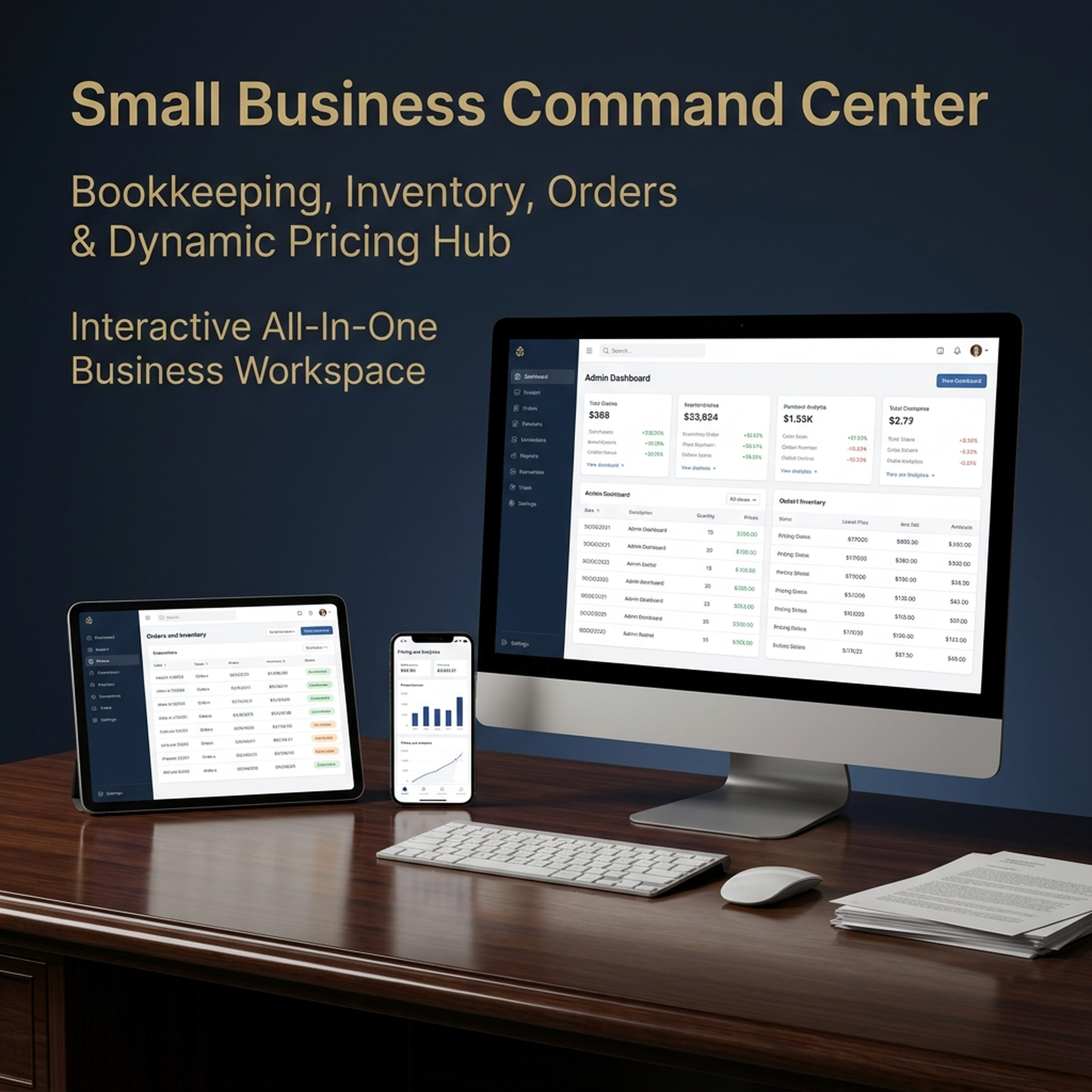
Business Plan Template & Small Business PlannerBusiness Plan Template & Small Business Planner — Financial Projections, Bookkeeping, Inventory, Orders & Invoices
Web app for phone or laptop. Enter materials and products to see item cost, stock, orders and profit in one place. No birth date needed.
Financial Projections, Bookkeeping, Inventory, Orders & Invoices
Write your business plan section by section, watch the financial projections build themselves, then run the shop that plan describes — all in one place.
For more than 8 years, a community of over 2,400,000 followers and 38,000+ students has shared how these daily practices helped in love, money and inner calm.
Add Daily Priority Planner — both in one checkout
Add this companion web app and get both in one checkout:
14-day refund policy ·Read the terms
- Ready to use right after payment
- Secure checkout by Stripe
Before you buy
What's inside
- The business plan builder with 13 sections, guiding questions, insertable examples and a One-Page Plan Canvas
- Live 12-month and 3-year financial projections with break-even, cash and tax estimates
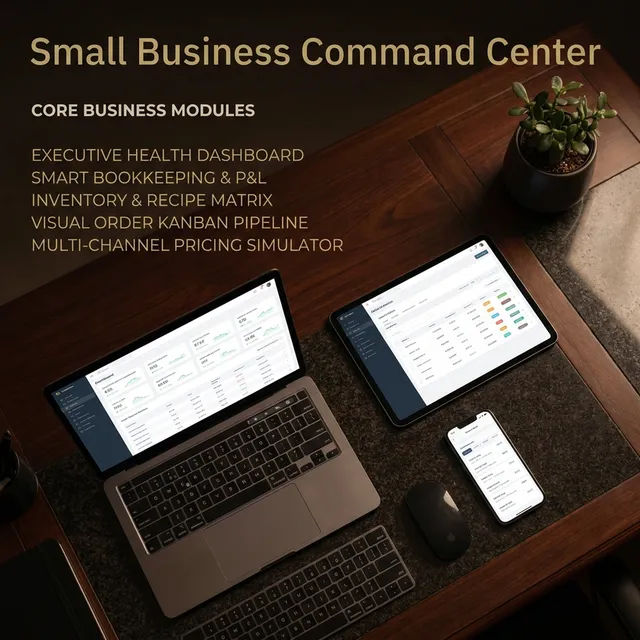
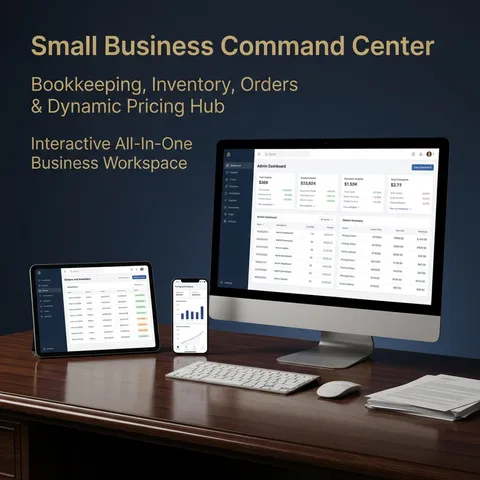
- Seven operations sections: Income & Expenses, Bills & Taxes, Orders, Invoices, Customers, Inventory and the Pricing Calculator
- A dashboard, a built-in user guide and sample shop data so you can see everything working, with buttons to clear the samples or reload them
- A photo on every card, which you can replace with your own by upload or drag-and-drop
How to use it in 3 steps
- 1Open it. After payment you receive a link on the confirmation page and by email. Open it in your browser, then enter your business name, currency and preferences in Settings.
- 2Write the plan. Open Business Plan and work down the sections. Insert an example when a question stalls you, then rewrite it in your own words.
- 3Set the projections. In Financial Projections, enter your assumptions, or pull them from your books or a saved pricing scenario, and read off the break-even point and the first profitable month.
Most business plan templates stop at the blank page: you still have to invent the numbers and keep them consistent across thirteen sections. This one writes with you. Every section asks a guiding question and offers an example you can drop in and edit, a progress ring tells you how much is left, and the financial projections are calculated rather than typed — change one assumption and the 12-month table, the 3-year summary, the break-even point and the chart all follow.
Then the plan keeps working after it is written. The same tool records your income and expenses, bills and taxes, orders, invoices, customers, stock and pricing — so the projections can be checked against what actually happened. It is a web app that opens in your browser, works offline and saves on your device.
At a Glance
- Format: Web app (opens in your browser, works offline, saves on your device)
- Devices: Computer, tablet and phone browsers (Chrome, Safari, Edge, Firefox)
- Privacy: Your plan, figures, orders and photos stay on your device. Nothing is uploaded.
- Export: Printable PDF business plan, plan as a text document or copied text, spreadsheets (CSV), an Excel workbook, printable reports and invoices, chart images, full backup and restore
- Languages: English, Vietnamese and Chinese, with five color themes
The Business Plan
Thirteen sections, written in the order a reader expects:
- Executive Summary — the short version, written last
- Company Description — what the business is and who runs it
- Problem, Solution & Value — what you fix and why you are worth paying
- Market Analysis — market size and customer personas
- Competitor Analysis — a side-by-side table of who else is selling this
- Products & Pricing — filled from the products and prices you already entered
- Marketing & Sales Plan — the channels you sell through
- Operations Plan — materials, suppliers and fixed costs
- Team & Roles — who does what, and what that costs each month
- Milestones & Roadmap — what happens by when
- Funding Request & Use of Funds — how much you need and where it goes
- Financial Projections — see below
- SWOT Analysis — strengths, weaknesses, opportunities, threats
Plus a One-Page Plan Canvas: your whole plan on a single page, assembled from the sections you have already written.
How writing works: each field carries a guiding question, an example you can insert with one click and then rewrite in your own words, a word count and a completion percentage. The dashboard shows how complete the plan is and which section to open next.
How you hand it over: preview and print the whole plan as a PDF document with a cover page, contents and every table; download it as a text document; or copy it as text to paste into a document or an email.
The Financial Projections
Entered once as assumptions, calculated everywhere else:
- 12-month, month-by-month table: revenue, cost of goods, operating expenses, net profit and cash balance for each month, with a chart
- 3-year summary: year one from the monthly table, years two and three from growth rates you set
- The answers lenders ask for: break-even revenue, the first profitable month, the lowest cash balance in the year, estimated tax for year one, and total startup costs
- Your assumptions: starting monthly revenue or units sold, monthly growth, cost of goods, variable costs such as fees and marketing, fixed costs per month, team cost, cash on hand at the start, and year two and three growth
- Shortcuts instead of guesswork: pull the assumptions from your own books (your last three months of revenue, cost of goods and fixed bills), or drive them from a saved pricing scenario so the revenue line follows a real unit price
- A warning when it will not work: if cash drops below zero during the year, it says which month and roughly how much more you need
The Operations Tools That Feed the Plan
- Income & Expenses: log income and expenses by sales channel, attach receipt photos, filter and search the ledger, set a monthly budget per category, and read a profit and loss (P&L) statement for any date range with the change against the previous period.
- Bills & Taxes: recurring bills with due dates and a mark-paid button that writes the expense for you; a tax set-aside estimate with a rate you choose, quarterly estimates and a payment log; and a business mileage log with a deduction estimate.
- Orders: a board you drag orders across, from Pending to Completed. Shipping an order subtracts the finished stock, and moving it back restores it. Marking it paid records the income and the channel fee.
- Invoices: line items, tax and discount, overdue detection, mark sent or paid, and a printable invoice. Marking one paid writes the matching income line.
- Customers: lifetime value, a VIP rule you set, repeat and source filters, and each person's order and invoice history.
- Inventory: raw materials with unit costs, stock levels and reorder alerts; products built from a bill of materials (the list of materials that goes into one item) so you see unit cost and margin; make-a-batch subtracts the materials; and a restock list.
- Pricing Calculator: materials, labor, packaging, overhead, channel fee and target margin give you a retail price, a wholesale price, profit per unit and the units you must sell each month to break even. Save scenarios, apply a price to a product, and feed the plan's revenue assumptions.
- Dashboard: projected revenue and net profit, break-even month, plan completeness, funding request, open orders and unpaid invoices, with a date-range selector, drill-down cards, a 12-month cash-flow chart and prioritized alerts.
- Quick search: press Ctrl+K (or Cmd+K on a Mac) to jump to any section or start any action.
Who It's For
Anyone who needs a written business plan and then has to run the business it describes: new owners preparing a plan for a lender, an investor or a grant; makers, boutique owners and online sellers who sell physical products; and existing small businesses that want the plan, the books, the stock and the orders to stop living in separate spreadsheets.
What's Included
- The business plan builder with 13 sections, guiding questions, insertable examples and a One-Page Plan Canvas
- Live 12-month and 3-year financial projections with break-even, cash and tax estimates
- Seven operations sections: Income & Expenses, Bills & Taxes, Orders, Invoices, Customers, Inventory and the Pricing Calculator
- A dashboard, a built-in user guide and sample shop data so you can see everything working, with buttons to clear the samples or reload them
- A photo on every card, which you can replace with your own by upload or drag-and-drop
- English, Vietnamese and Chinese interfaces, five color themes, and a choice of currency (USD, EUR, GBP, VND, CNY, AUD or CAD)
- Backup and restore for moving everything to another computer
How to Use It
- Open it: after payment you receive a link on the confirmation page and by email. Open it in your browser, then enter your business name, currency and preferences in Settings.
- Write the plan: open Business Plan and work down the sections. Insert an example when a question stalls you, then rewrite it in your own words.
- Set the projections: in Financial Projections, enter your assumptions, or pull them from your books or a saved pricing scenario, and read off the break-even point and the first profitable month.
- Print or send it: preview and print the plan as a PDF document, download it as a text document, or copy it as text.
- Run the business: record income and expenses, move orders across the board, send invoices and keep stock and prices current, then check each month against the plan and save a backup from Settings.
This is a planning and organization tool, not accounting, tax, legal or investment advice. Check your figures with a qualified professional before filing, invoicing or submitting a loan application.
Questions before you buy
It is a finished web app, not a blank document you have to build. Each of the 13 plan sections already has its guiding questions and an example you can insert and then edit, the financial projections calculate themselves from the figures you enter, and the whole plan prints as a formatted document.
Business Plan Template & Small Business Planner
Pay once. No monthly fee. Ready to use right after payment.
You may also like



How readers changed with these practices
This is the same routine a community of more than 2,400,000 followers has used for 8 years, with 38,000+ students sharing their results along the way.
 Real stories
Does Time Blocking Work? Real Planner Stories
Yes, time blocking works when it shows how much of your day is really free. Real stories of calmer days, fewer carry-overs and the planner behind them.
Read guide Real stories
Deep Work Tracker Results: Real Stories
Does a deep work tracker help? Real stories of more focused hours, fewer interruptions and calmer weeks, plus the daily practice inside the lab.
Read guide
Guides featuring this tool




From the blog
Latest articles




You may like
Popular with readers like you
The guides people search for most.


Turn what you just read into a daily practice
Interactive planners and journals built on these guides: moon rituals, manifestation scripting, habit and focus systems. Ready to use right away and yours to keep.

Get the Yin Yang Masters Letter Every Day
One short email a day: a practice for today, a real reader story, and the newest guide on love, money and inner calm.
Follow along
Daily rituals on your feed
Short guides, moon rituals and planner walkthroughs from Yin Yang Masters.




Keep exploring
More from Yin Yang Masters




Ask Yinyang Masters inside your AI assistant
Get the same calculations and guidance right in your chat: add the free Yinyang Masters app, then ask in plain English. No account needed.
Try asking: “Find a Yinyang Masters guide about starting a daily spiritual practice.”

Meet Moon Keeper, our live altar host
Every hour Moon Keeper reads the sky, draws one tarot card and shares a calm 3-minute reflection. Drop by the altar, follow the hourly diary and leave a note in the guestbook.
Get the Yin Yang Masters Letter Every Day
One short email a day: a practice for today, a real reader story, and the newest guide on love, money and inner calm.
For more than 8 years, a community of over 2,400,000 followers and 38,000+ students has shared how these daily practices helped in love, money and inner calm.