

Picking the right digital planner for iPad starts by separating two very different jobs: handwriting on an Apple Pencil canvas versus managing linked tasks, habits, and calendar blocks without manually redrawing dates. Hyperlinked PDFs opened inside GoodNotes deliver a soothing paper feel, while structured planning apps and offline web planners automatically roll unfinished items forward and track your pace.
The Best Digital Planner for iPad (7 Honest Picks)

Jennie Uyên Chu
Chuyên gia Tâm thức & Năng lượng

Bài này hiện chỉ có bản tiếng Việt.
Ứng dụng thực hành tương tác · Bản trọn bộ15 phân hệ
Daily Priority Planner
Mỗi sáng bạn biết ngay việc nào làm trước, ngày làm việc nhẹ đầu hơn và không còn bỏ sót việc quan trọng.
Web app dùng trên điện thoại hoặc laptop. Nhập việc 1 lần, rồi xếp ngày theo ma trận ưu tiên, danh sách 1-3-5 hoặc khối giờ. Không cần nhập ngày sinh.
👥 38.000+ học viên👥 38.000+ học viên · Cộng đồng 2,4M+
27,99 US$20,99 US$27,99 US$729.000 ₫546.000 ₫729.000 ₫Bước 1 · Chọn điều khiến bạn dễ bỏ dở nhất khi tự làm:
Cách ứng dụng tháo gỡ đúng điểm nghẽn này
Thả một việc vào, sổ tự tìm khoảng trống kế tiếp, lịch của bạn co giãn được thay vì đổ vỡ.
Công cụ có sẵn bên trong: Việc lớn, vừa, nhỏ và việc gấp hay việc quan trọng nằm chung một chỗ, nên việc đáng làm luôn được làm trước.
Bước 2 · Xem trực tiếp giao diện thật bên trong
Lưới Chia Khung Giờ
15 phân hệ · 2 tab mở thử miễn phíKhung lịch tương tác tách bạch giờ làm việc sâu, việc hành chính và khoảng nghỉ phục hồi rõ ràng.
Trả 1 lần duy nhất · Dùng trọn đời · Nhận qua email tức thì

Bản Đồ Số Thiên Thần 2027 miễn phí
Nhận qua email Bản Đồ Số Thiên Thần 2027 kèm bảng tự tra Năm Cá Nhân, con số thiên thần từng tháng và chỗ viết ý định cả năm.
Most people abandon elaborate planner setups by February because moving incomplete tasks across static weekly pages eats fifteen minutes every evening. Before committing to a format, review our best productivity planner guide, which breaks down daily upkeep costs, horizon planning, and paper-versus-digital tradeoffs.
7 Best Digital Planners for iPad Compared by Workflow
Research on time management and timeboxing consistently points to the same practical filter: the simplest format that keeps next actions visible outperforms complicated layouts filled with decorative tabs. Compare how the top seven iPad workflows handle stylus writing, calendar integration, cross-device sync, and weekly reviews.
Công cụ tra cứu miễn phí
Tính Số Đường Đời Thần Số Học
Trả lời nhanh
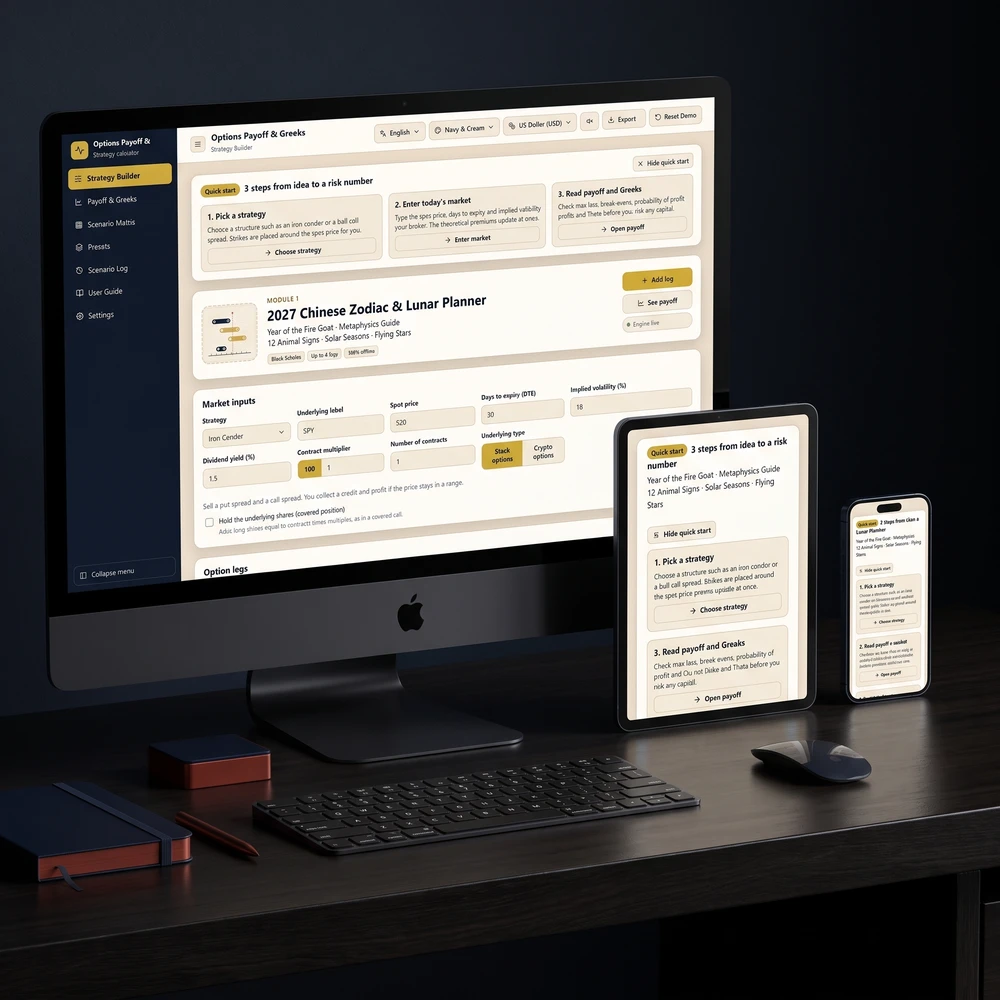
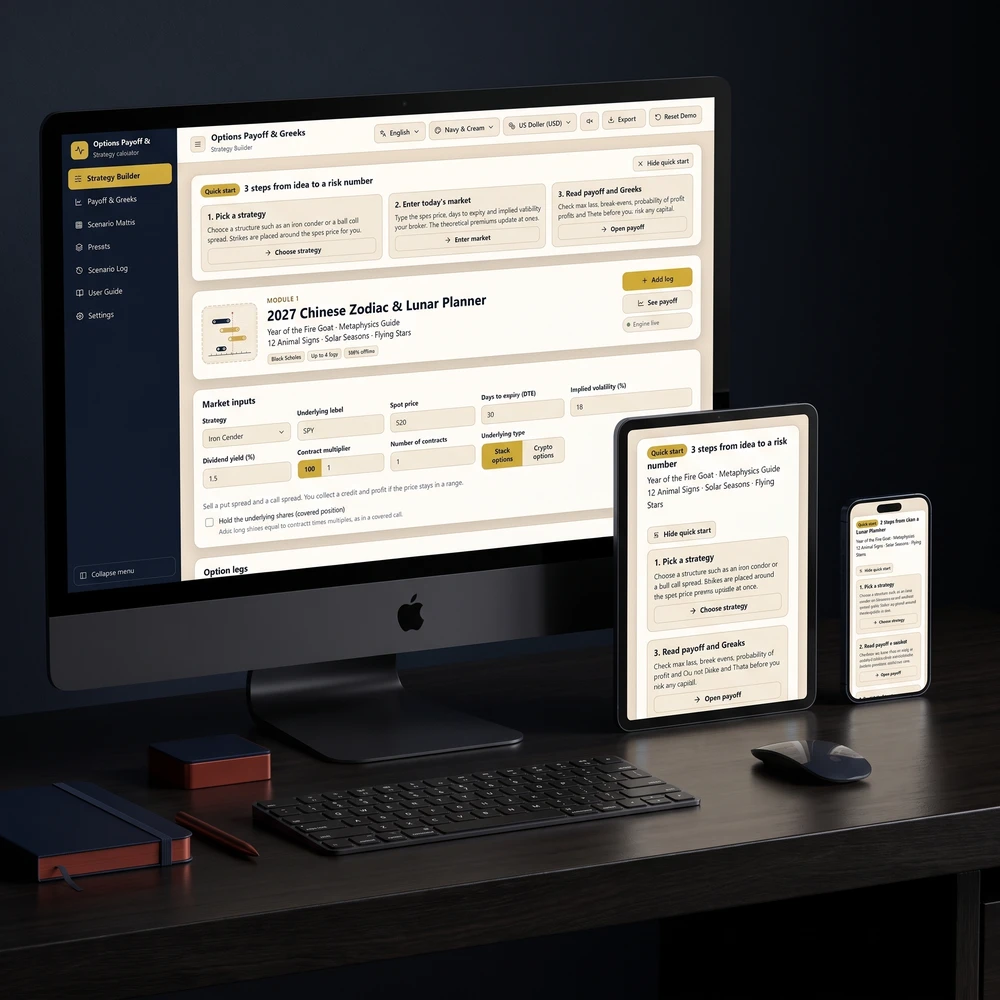
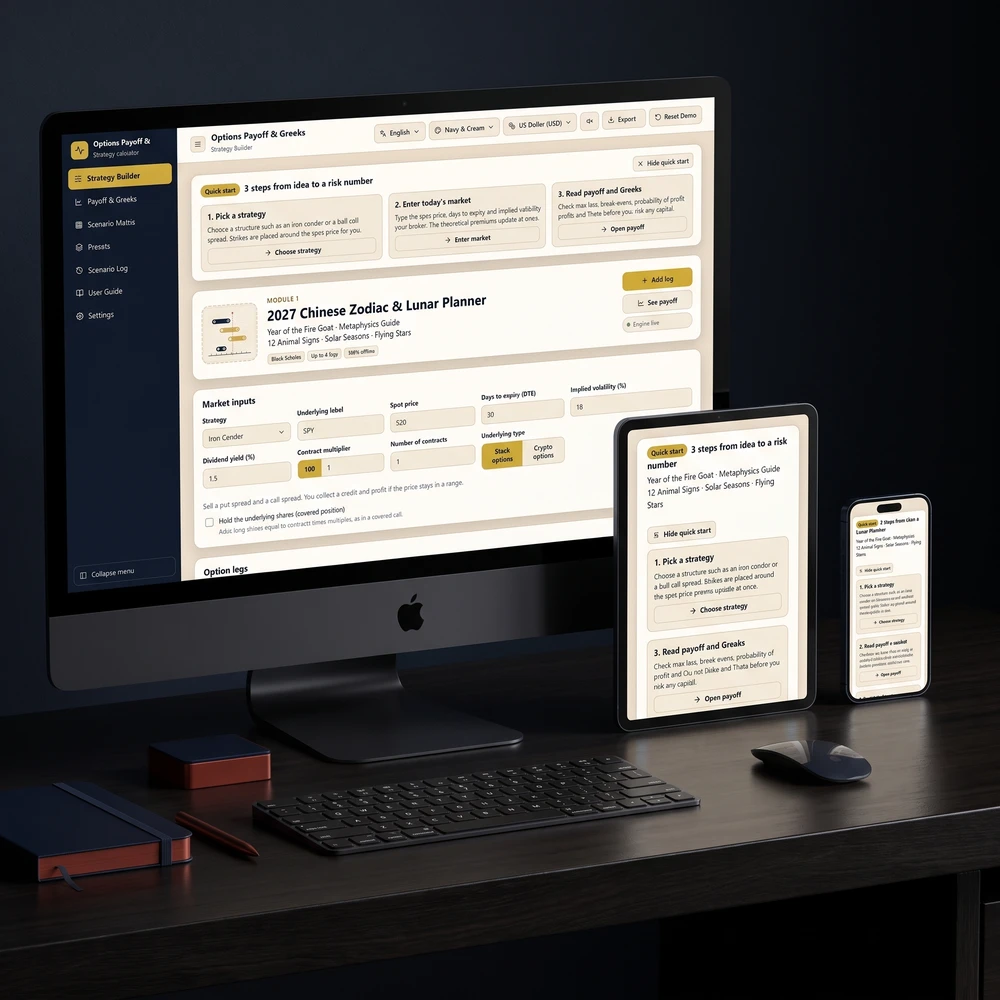
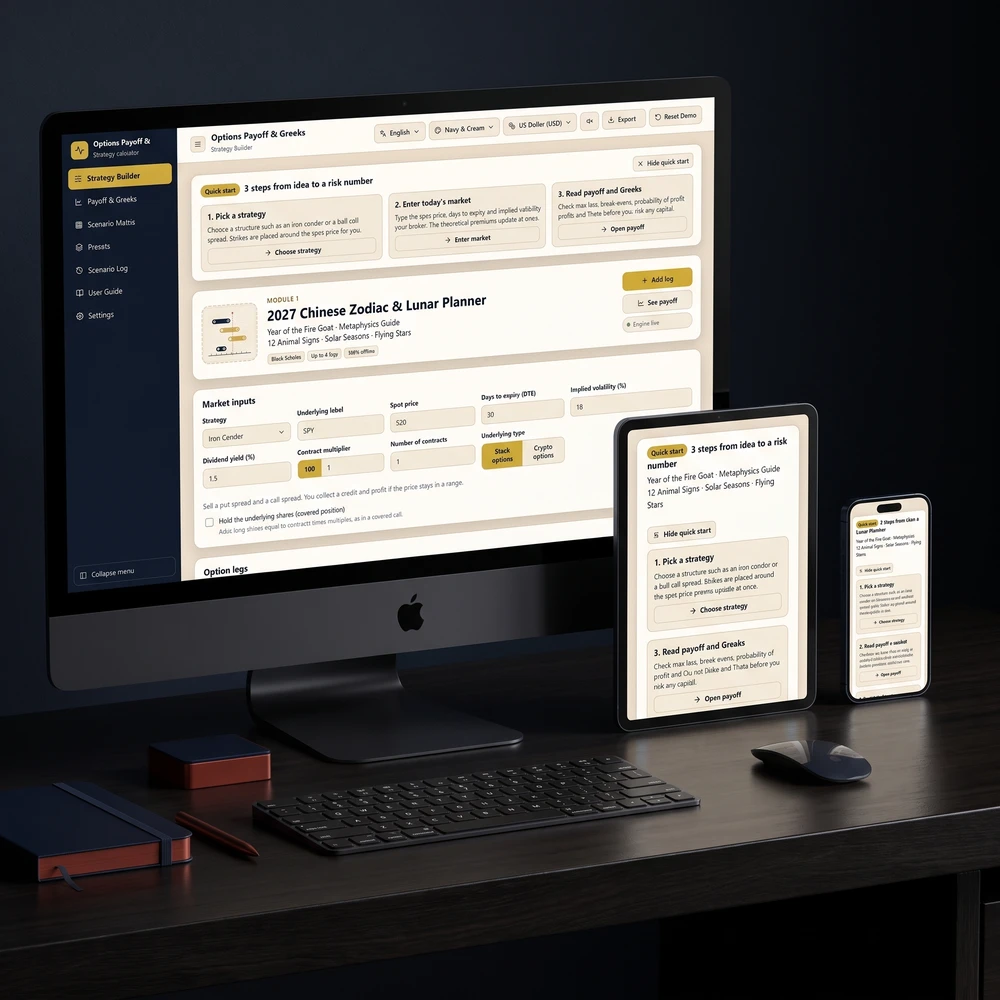
Có. Sổ Kế Hoạch 2027 (2027 Digital Planner) — Mục Tiêu, Lịch Tháng & Năng Lượng Năm Theo Con Giáp được làm cho đúng việc này: Nối mục tiêu 2027, thói quen hằng ngày, tổng kết tuần và lịch trăng để mỗi thói quen đều đẩy một mục tiêu thật.
 Sổ Kế Hoạch 2027 (2027 Digital Planner) — Mục Tiêu, Lịch Tháng & Năng Lượng Năm Theo Con GiápXem Sổ tay Tương tác →
| Planner or App | Format & Model | Core Planning Workflow | Best For | Main Limitation |
|---|---|---|---|---|
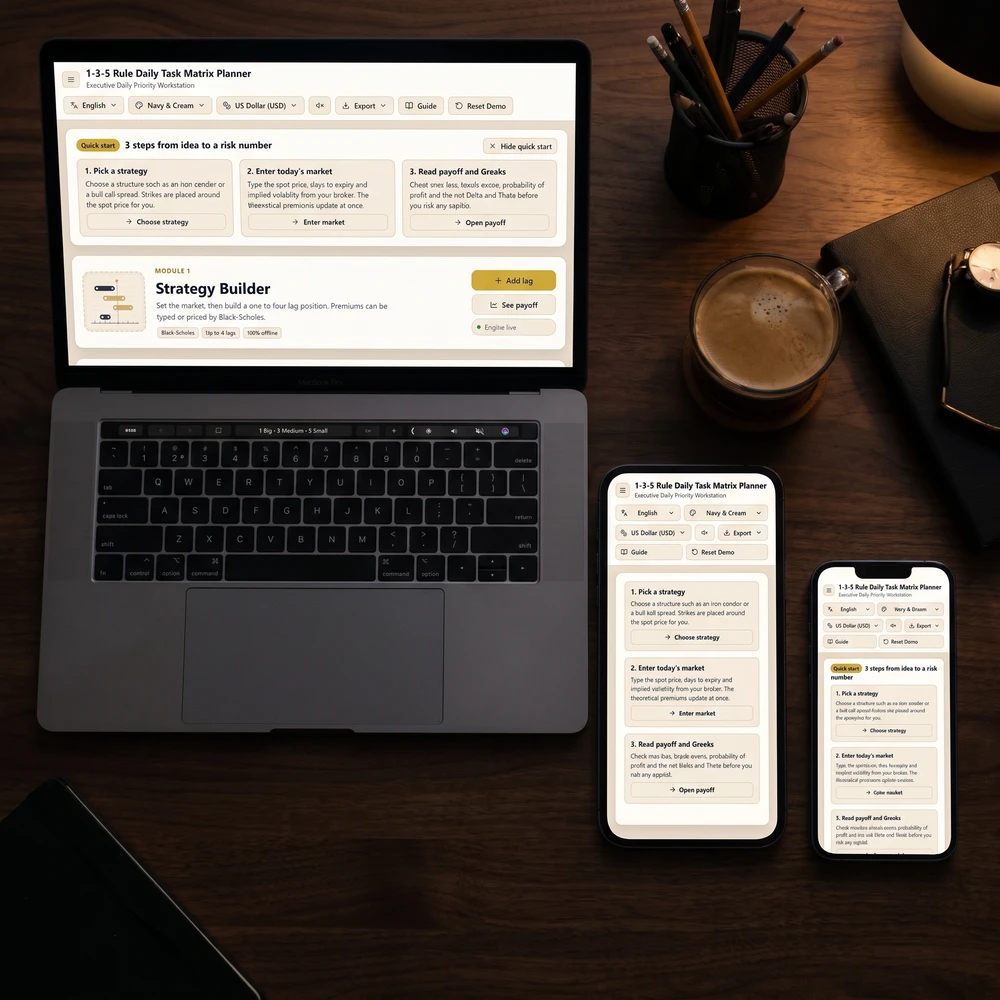
| Daily Priority Planner | Offline browser web app (Safari on iPad, iPhone & desktop; one-time purchase) | Single task list rendered as Eisenhower Priority Matrix, 1-3-5 Plan (9 slots), Six-Task List, Time Blocks timeline + week view, Inbox capture, CSV export | Turning messy daily to-dos into realistic time blocks across one unified list | Keyboard/tap entry in Safari rather than freehand Apple Pencil scribbling or native iOS push alarms |
| 2027 Digital Planner & Goal Tracker | Offline browser web app (one-time purchase) | 12-month goal strip with milestone/numeric pace tracking, Command Center, weekly habit grid, daily scripting slots, auto-filled Weekly Review, 2027 moon calendar | Connecting annual milestones, daily habits, and Sunday reviews in one private workspace | Browser local storage requires exporting periodic manual backups; no two-way Apple Calendar sync |
| Habit Tracker & Streak Planner | Offline browser web app (one-time purchase) | 7-day & 30-day habit cards, planned-rest days that preserve streaks, double-miss early alerts, timed habit stacks, 1–366 day Challenge mode, Urge log | Building reliable morning/evening routines and habit chains alongside project work | Focuses on recurring habits, stacks, and urges rather than timed calendar appointments |
| Structured | Native iOS, iPadOS & macOS app (free tier + Pro subscription) | Visual day timeline combining tasks, Apple Calendar events, and Apple Reminders side by side with Apple Pencil support | Seeing real calendar meetings and realistic gaps visually in one daily strip | Full recurring sync features and customization sit behind a subscription tier |
| GoodNotes + Hyperlinked PDF Planner | Native iPad note app + static PDF (freemium / paid app) | Smooth Apple Pencil handwriting over linked monthly, weekly, and daily tabs mimicking bound stationery | Tactile thinkers who remember meetings better when writing by hand with a stylus | Zero automatic calculations, searchable databases, task rollover, or calendar event syncing |
| TickTick / Todoist | Cross-platform cloud apps (free tier + paid tiers) | Fast natural-language capture, recurring schedules, Pomodoro focus timer (TickTick), calendar feed subscriptions | Heavy recurring checklists syncing seamlessly across iPad, phone, and Windows PC | Can encourage over-collecting huge backlogs unless paired with a capped daily review |
| Apple Calendar + Apple Reminders | Free built-in apps on iPadOS, iOS & macOS | Instant iCloud sync across Apple hardware, color-coded calendars, scheduled lists synced directly into timeline views | Zero-cost native reliability without downloading external subscriptions or tools | Lacks goal-pace charts, 1-3-5 daily caps, priority matrices, and guided weekly reflections |
Free Options vs. Paid Hyperlinked PDFs vs. Offline Web Apps
Evaluating free options first saves buying tools that sit idle after a busy Monday. Pairing Apple Calendar with Apple Reminders already handles recurring bills, grocery runs, and meeting alerts smoothly via iCloud at zero cost. Meanwhile, free starter tiers inside Structured or Todoist let you test daily list prioritization without an upfront bill.
Where hyperlinked PDFs inside GoodNotes win is tactile calm—zero pop-ups, full Apple Pencil handwriting, and paper-style layouts similar to a structured bullet journal without carrying notebooks. However, static PDFs require manually rewriting unfinished tasks each Sunday. One-time-purchase offline web planners solve that gap cleanly in Safari without monthly subscription creep:
- Day-by-Day Execution: In the Daily Priority Planner, every task lives once—tick an item inside the 1-3-5 Plan or Eisenhower Priority Matrix, and your day timeline updates automatically while the Inbox captures stray thoughts fast.
- Annual Goals & Milestones: Inside the 2027 Master Year Planner, a 12-month milestone strip and pace tracker calculate whether numeric goals are ahead or behind schedule alongside an auto-filled Weekly Review.
- Routine Streaks Without Guilt: The Habit Tracker & Streak Planner flags double misses before a habit collapses and lets you mark travel or illness as planned rest so healthy streaks do not punish recovery.
Choosing One That Syncs With Apple Calendar vs. Works Across iPad and iPhone
Two practical questions separate happy iPad planners from abandoned ones: whether your tool syncs with Apple Calendar for hard meeting times, and how smoothly it jumps between iPad and iPhone when you leave your tablet at home.
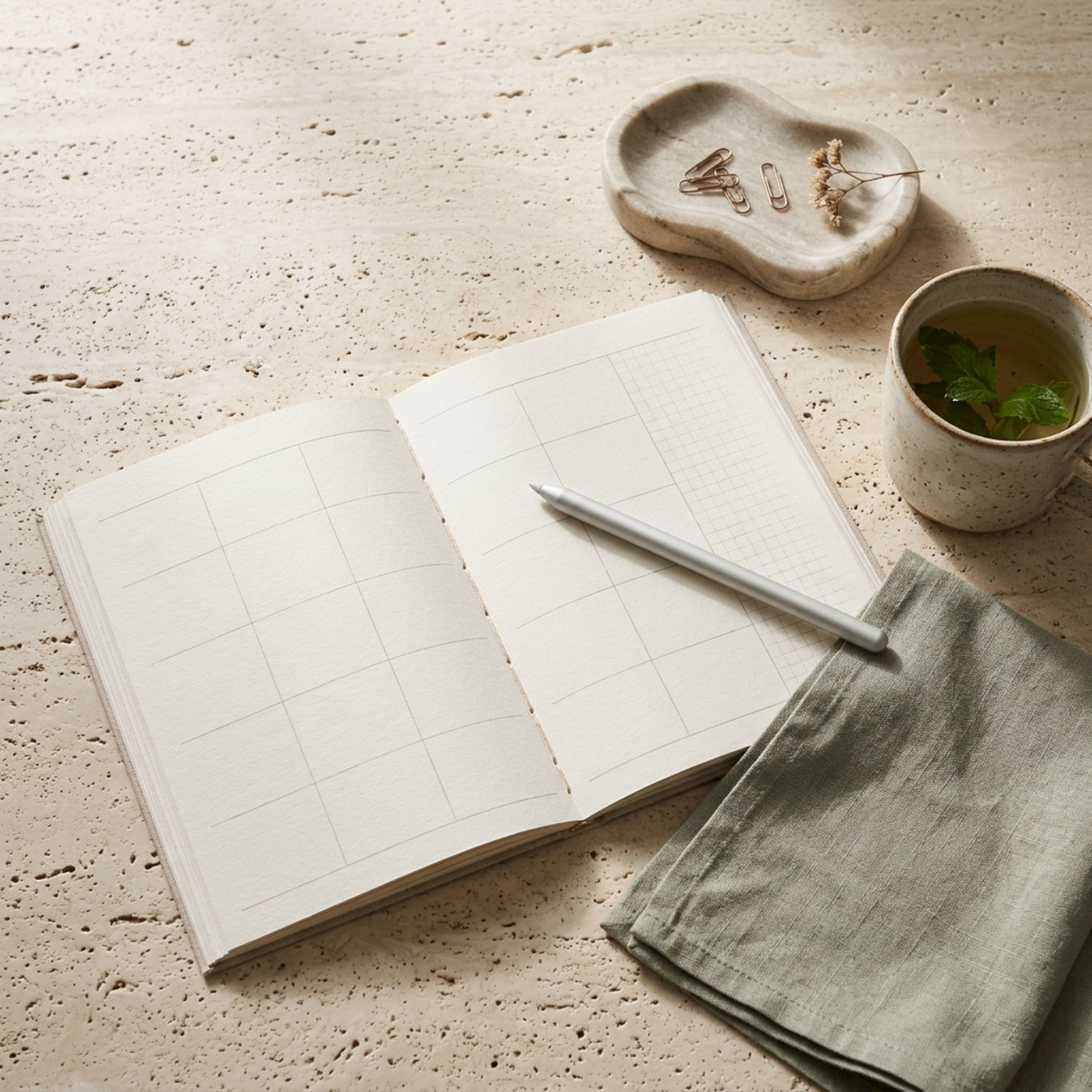
If your workdays revolve around live Zoom or client calls, choose a tool that reads Apple Calendar directly (like native Apple Calendar/Reminders, Structured, or TickTick) so you never double-book an afternoon block. If you mainly need distraction-free deep work and personal goal structure away from notifications, an offline browser web app works identically in Safari across desktop and tablet—just remember to export a 10-second monthly backup file if switching hardware frequently. For deeper guidance on deciding between paper, PDF, and connected apps, read our breakdown of whether a planner is worth buying and try our is a planner worth it test, or explore our roundup of digital journal for iPad and best journal apps if reflection matters as much as tasks.
How to Keep Any iPad Planner Active With a 5-Minute Review Loop
Installing three productivity tools rarely fixes overwhelm; simplifying daily upkeep under ten minutes does. Pair every iPad planning session with one brief grounding habit so planning starts intentionally instead of reactively.
Start With the 30-Second Somatic Reset
Opening an overloaded task list while tense triggers avoidance rather than action. Take 30 seconds before touching your plan: unclench your teeth, lower your shoulders away from your ears, rest both feet solidly on the floor, and take two slow breaths—four seconds in, six seconds out. Starting calm keeps you from cramming twelve urgent tasks into a four-hour afternoon.
The 5-Minute Action-Then-Release Routine
- Minute 1 — Empty Stray Clutter Into One Inbox: After your 30-second reset, sweep leftover tabs and loose scraps into one inbox rather than scattering reminders across sticky notes.
- Minutes 2–3 — Pick One Big Task + Three Medium Steps: Cap your day using a 1-3-5 or Six-Task list, dragging that single top priority into an open morning time block before opening email.
- Minute 4 — Protect One 45-Minute Execution Block: Start working on your top priority immediately with notifications silenced until that first block closes.
- Minute 5 — Close & Release at End of Day: Spend two minutes marking what finished, rolling unfinished items forward once without guilt, and shutting the planner tab until tomorrow.
Whether you sketch plans by hand in GoodNotes, block time natively inside Apple Calendar, or link annual goals and habit streaks inside one private Safari web app, pick the setup light enough to survive a chaotic Wednesday.
Công cụ tra cứu miễn phí cùng chủ đề


Áp dụng ngay
Đưa bài viết này vào thực hành
Hơn 8 năm nay, cộng đồng hàng triệu người (2,4 triệu+ người theo dõi, 38.000+ học viên) đã kể lại những thay đổi thật khi kiên trì thực hành mỗi ngày.
 Sổ Kế Hoạch 2027 (2027 Digital Planner) — Mục Tiêu, Lịch Tháng & Năng Lượng Năm Theo Con Giáp
- Một web app thay cho sổ kế hoạch giấy, sổ thói quen và lịch treo tường: mục tiêu, thói quen, tổng kết tuần và lịch trăng nối với nhau, dùng được trên điện thoại hay laptop.
- Nối mục tiêu 2027, thói quen hằng ngày, tổng kết tuần và lịch trăng để mỗi thói quen đều đẩy một mục tiêu thật.
- Dùng Command Center với từ khoá của năm và dải 12 tháng đếm cột mốc.
 Sổ Theo Dõi Thói Quen & Chuỗi Ngày — Habit Tracker, Habit Stacking, Thử Thách 75 Ngày & Tái Tập Trung
- Thấy chuỗi ngày hiện tại, chuỗi dài nhất và tỉ lệ hoàn thành 7/30 ngày của từng thói quen.
- Nhận cảnh báo khi bỏ lỡ 2 ngày liền để kịp quay lại trước khi bỏ hẳn.

Có trong cửa hàng
Sổ Kế Hoạch 2027 (Mục Tiêu, Thói Quen & Lịch Trăng)
Biến 2027 thành năm mục tiêu của bạn thật sự thành hiện thực. Mỗi thói quen hằng ngày gắn với một mục tiêu thật, biểu đồ tiến độ cho biết bạn có đúng hướng không, và phần nhìn lại hằng tuần tự điền sẵn.
Nguồn tham khảo & Đối chiếu
Được biên tập theo chuẩn thực hành chánh niệm & phát triển cá nhân. Chính sách biên tập

Bộ Sổ Tay & Hệ Thống Tương Tác Đi Kèm


Câu chuyện thật
Xem mọi câu chuyện →Người đọc đã thay đổi thế nào với những thực hành này
Suốt hơn 8 năm qua, cộng đồng hơn 2,4 triệu người theo dõi và 38.000+ học viên đã chia sẻ kết quả thật khi duy trì những thực hành này trong tình yêu, tài chính và sự bình an.
 Chuyện tình yêu
Nhật ký Twin Flame có hiệu quả không? Câu chuyện thật
Nhật ký twin flame có hiệu quả không? Câu chuyện thật về chữa lành sau chia tay, thu hút tri kỷ, tìm lại bình yên và cách luyện tập mỗi ngày.
Xem cẩm nang Chuyện tiền bạc
Nhật ký thu hút tiền bạc có hiệu quả không? Chuyện thật
Nhật ký thu hút tiền bạc có hiệu quả không? Câu chuyện thật về trả hết nợ, xin tăng lương, bớt lo âu tiền bạc và cách luyện tập mỗi ngày.
Xem cẩm nang
 Chuyện tình yêu
Thu hút tình yêu sau chia tay: chuyện chữa lành có thật
Câu chuyện thật về thu hút tình yêu sau chia tay: dùng câu khẳng định yêu bản thân, soi gương và nhật ký tình yêu để chữa lành trước rồi mở lòng lại.
Xem cẩm nang Chuyện tiền bạc
Thu hút cuộc sống sạch nợ: câu chuyện thật
Câu chuyện thật về thu hút cuộc sống sạch nợ: kết hợp câu khẳng định tiền bạc, nhật ký thịnh vượng với mục tiêu rõ, hạn chót và bằng chứng mỗi ngày.
Xem cẩm nang Chuyện tình yêu
Thu hút tri kỷ: câu chuyện thật bắt đầu từ bên trong
Câu chuyện thật về thu hút tri kỷ: viết kịch bản người bạn đời lý tưởng, làm bảng tầm nhìn và mở lòng với cuộc sống trước khi tình yêu đến.
Xem cẩm nang Chuyện tiền bạc
Thu hút tăng lương: câu chuyện thật về sự tự tin
Câu chuyện thật về thu hút tăng lương, thăng chức: gỡ niềm tin cản trở, luyện câu khẳng định tự tin và ghi bằng chứng trước khi đề nghị.
Xem cẩm nang Chuyện tình yêu
Câu chuyện đoàn tụ twin flame: hành trình thật về bình yên
Câu chuyện đoàn tụ twin flame có thật: dùng các giai đoạn hành trình, sổ dấu hiệu và thiền dẫn để tìm bình yên khi xa cách, dù có quay lại hay không.
Xem cẩm nang Chuyện tiền bạc
Từ lo âu tiền bạc đến bình tâm: câu chuyện thật
Câu chuyện thật về vượt qua lo âu tiền bạc: một bài thiền ngắn trước khi xem tài khoản, buổi hẹn hò với tiền mỗi tuần và soi lại niềm tin cũ.
Xem cẩm nang
Hướng dẫn liên quan

Bài viết khác



Đang được đọc nhiều
Bài mọi người mở nhiều nhất tuần này
Xếp theo lượt xem thật trong 7 ngày qua.
🔥 Bắt đầu Ngày 1 ngay tối nay · Mua 1 lần dùng mãi
Sổ Kế Hoạch 2027 (2027 Digital Planner) — Mục Tiêu, Lịch Tháng & Năng Lượng Năm Theo Con Giáp
Sổ kế hoạch 2027 nối mục tiêu, thói quen hằng ngày, tổng kết tuần và lịch trăng trong một web app, để mỗi thói quen bạn tick đều đẩy một mục tiêu thật tiến lên.
TÀI LIỆU TƯƠNG TÁC MIỄN PHÍ
Nhận Miễn Phí Bản Đồ Số Thiên Thần Năm 2027
Nhận qua email Bản Đồ Số Thiên Thần 2027 kèm bảng tự tra Năm Cá Nhân, con số dẫn đường từng tháng và góc riêng viết ý định cả năm.
Theo dõi Yin Yang Masters
Nghi thức mỗi ngày ngay trên bảng tin của bạn
Hướng dẫn ngắn, nghi thức theo trăng và cách dùng sổ kế hoạch từ Yin Yang Masters.




Khám phá thêm
Thêm từ Yin Yang Masters



Hỏi Yinyang Masters ngay trong trợ lý AI của bạn
Nhận cùng phép tính và gợi ý ngay trong khung chat: thêm app Yinyang Masters miễn phí rồi hỏi bằng lời thường. Không cần tài khoản.
Thử hỏi: “Tìm bài hướng dẫn Yinyang Masters về bắt đầu thực hành tâm linh mỗi ngày.”

Đang trực
Gặp Moon Keeper, người giữ điện thờ trực tiếp
Mỗi giờ Moon Keeper đọc bầu trời, rút một lá tarot và chia sẻ một bài tĩnh tâm 3 phút. Ghé điện thờ, theo dõi nhật ký từng giờ và để lại lời nhắn trong sổ khách.

BẢN TIN MIỄN PHÍ MỖI NGÀY
Nhận Bản Tin Yin Yang Masters Mỗi Ngày
Mỗi ngày một email ngắn: một thực hành cho hôm nay, một câu chuyện thật của bạn đọc và bài hướng dẫn mới nhất về tình yêu, tiền bạc, sự bình an.
Suốt hơn 8 năm qua, cộng đồng hơn 2,4 triệu người theo dõi và 38.000+ học viên đã chia sẻ kết quả thật khi duy trì những thực hành này trong tình yêu, tài chính và sự bình an.