



Best Productivity Planner: How to Choose One You Will Actually Use


There is no single best productivity planner. The best one is the one you open every day, and that depends on how you work: whether you plan by day or by year, on paper or on a screen, with a few tasks or many. This guide shows what to look for and which type fits which person.
It covers the features that matter, paper versus digital versus app planners, what to choose if your attention drifts, and the honest limits of two digital options we offer.
What Makes a Productivity Planner "Best"?
A planner is best when it makes the next action obvious and costs you very little time to keep up. Fancy layouts do not do that. Check five things before you compare any product:
- Planning horizon. Does it focus on one day, one week or the whole year? Pick the horizon where you actually lose track.
- Prioritizing. Can it show what matters most today, or is it only a blank grid?
- Upkeep. Count the minutes it asks for each day. More than ten and most people stop.
- Review. A weekly look back is what turns a list into a habit. Check that there is a place for it.
- Where it lives. A planner you cannot reach when you need it will not get used.
Time management research and everyday experience agree on one point: a simple routine you repeat beats an ambitious system you drop. If a planner needs a long setup before it helps, treat that as a warning sign.

Paper vs Digital vs App Planners
Each type has a real strength and a real weakness. None is better for everyone.
| Paper planner | Digital planner (PDF or web app) | Task app | |
|---|---|---|---|
| Strength | No screen, calm, quick to open | Searchable, linked pages, auto-totals | Reminders, sync across devices |
| Weakness | Cannot search or total; lost if misplaced | Easy to ignore; device needed | Easy to over-collect tasks; subscriptions are common |
| Best for | People who think on paper | People who live on a laptop or phone | People who need alerts and sharing |
| Cost pattern | A new one each year | Often a one-time purchase | Free tier or monthly fee |
A static PDF is a printable page on a screen. A web app can connect the parts, so ticking a task in one place updates the others. If you are unsure whether a planner is worth paying for at all, read is a planner worth it and run its four-week test first.

Get Your Free 2027 Angel Number Year Map
Enter your birthday to reveal your 2027 Personal Year, the angel number guiding each month, and a private workspace to set your intentions.
Best Daily Planner: What to Look For
A daily planner should answer one question: what do I do next? These features help most:
- A cap on the day. Limiting a day to a number you can finish stops the endless list. The 1-3-5 rule allows one big task, three medium and five small.
- A way to rank tasks. An urgent-versus-important grid, as in the Eisenhower matrix and Pareto guide, shows what to drop.
- Time on the calendar. Putting a task into a time block turns a wish into a plan. See the time blocking planner guide.
- A fast capture spot. Somewhere to dump a thought in seconds, then sort it later.
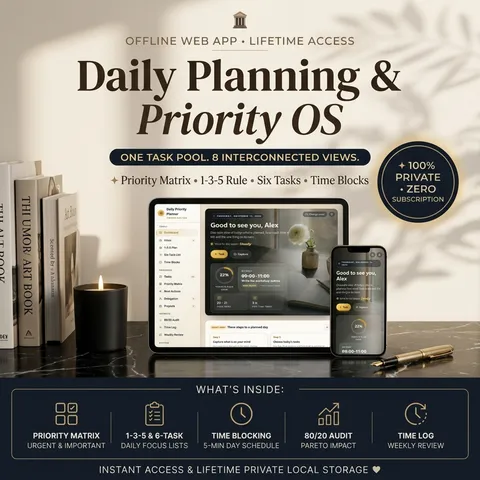
The Daily Priority Planner is a web app built around this. It keeps one task list and shows it as a priority matrix, a 1-3-5 plan with nine slots, a six-task list and a time-blocked day, so ticking a task in one view updates the rest. It also has an inbox, next-action lists, a weekly review and a focus timer that logs time to a task. It opens in your browser, works offline and saves on your device, and it is a one-time purchase at $27.99.
Best Planner for ADHD: Choose by Friction, Not by Label
No planner treats ADHD, and a planner is not medical advice. If your attention drifts, what helps in practice is a setup with low friction:
- Few daily slots. A short list you can see at once is easier to start than a long one.
- One place for everything. Several notebooks and apps mean more places to forget.
- Quick capture. If writing a thought down takes more than a few seconds, it will not happen.
- No guilt pages. A planner that punishes missed days gets abandoned. Look for one where you can carry a task to tomorrow without fuss.
- Visible time. A timeline or a timer can make a task feel real.
Neither product described here is built or tested for ADHD, and we make no claim that it helps. What can be said is that a daily planner with a capped plan and a single task list matches the low-friction idea, while a year planner with many sections is more to keep up with. If attention problems affect your work or health, talk to a qualified professional.
Productivity Journal vs Planner
A productivity journal looks back and a planner looks forward. A journal holds what happened, what drained you and what you noticed. A planner holds dates, tasks and goals.
Many people use both: plan the week, then use a short weekly review to reflect before planning the next one.
If you want a journal habit without a second notebook, pick a planner with a built-in weekly review and a notes area. A bullet journal is the flexible option, but it costs setup time, so choose it only if you enjoy designing pages.
Two Digital Options, and Their Limits
Both options below are web apps that open in your browser, work offline and save data on your own device. Both are one-time purchases. Compare them honestly.
| Daily Priority Planner | 2027 Master Year Planner | |
|---|---|---|
| Planning horizon | One day at a time, with a week view | The whole year of 2027 |
| Core idea | One task list, many views (matrix, 1-3-5, six-task list, time blocks) | Goals linked to habits, weekly review and a moon calendar |
| Good fit | Founders, freelancers, managers, students and parents who plan their own day | People who plan the year with both discipline and ritual |
| Limits | Not a year-goal planner; no moon or astrology pages | Built around 2027 only; no priority matrix or time-block day view |
Both share limits that are worth knowing before you buy. Data stays on your device, so there is no automatic sync between devices; you move it with a backup file, and clearing your browser's site data erases it unless you have a backup. Neither is a shared team tool.
The 2027 Master Year Planner suits you if your struggle is the long view. It has a goals hub with pace tracking, a weekly habit grid, a weekly review that fills in its own numbers, and a calendar of 2027 moon and eclipse dates for reflection. That calendar is for reflection, not prediction. For a deeper look at setting yearly goals, read the 2027 yearly planner guide.

How to Pick in Ten Minutes
You can choose with five short steps and no spreadsheet.
- Write down where you lose track: today's tasks, this week's commitments or the year's goals.
- Choose the matching horizon: day, week or year.
- Choose paper or screen by where you already spend your day.
- Try the format for four weeks before you spend more.
- Keep what you opened on at least five days out of seven, and drop the rest.
There is no single best one. The best planner is the one you open daily, and that depends on whether you plan by day or year, on paper or a screen, and how much upkeep you will tolerate.
Research & References
- [1]https://en.wikipedia.org/wiki/Time_management ↗
- [2]https://en.wikipedia.org/wiki/Bullet_journal ↗
- [3]https://en.wikipedia.org/wiki/Timeboxing ↗
For comprehensive editorial standards and health/financial disclaimers, view our Editorial Policy.
Tools featured in this guide
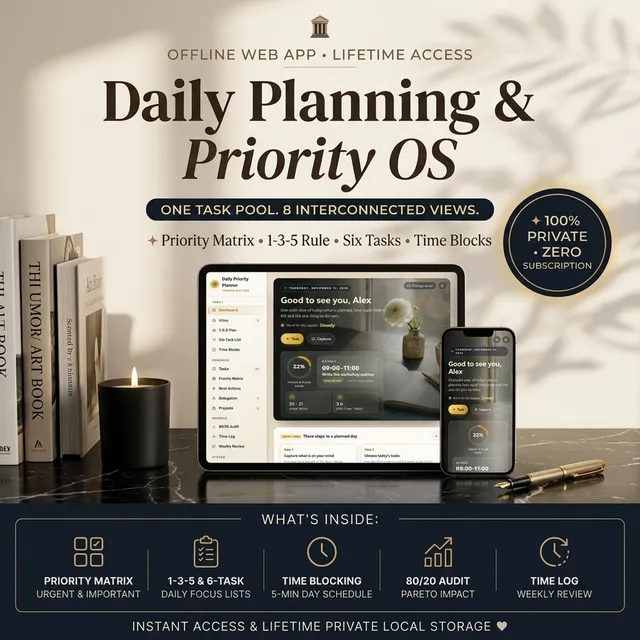
Daily Priority Planner — Time Blocking, Eisenhower Matrix & Task Manager
One task list shown as a priority matrix, a 1-3-5 plan, a six-task list and a time-blocked day, so you always know what to do next.
$27.99₫609,000

2027 Digital Planner — Goal Planner, Monthly Calendar & Zodiac Year Forecast
A 2027 planner that links your goals, daily habits, weekly review and moon calendar in one web app, so every habit you tick moves a real goal forward.
$27.99₫609,000
Guides in this Topic
View all (27) →
Deconstructing Elon Musk's Daily Schedule: The Power of 5-Minute Time Blocking
Deconstruct Elon Musk's daily schedule and ultra-granular 5-minute time blocking routine. Practical templates for extreme productivity and focus.
Read guide
Habit Tracker in Google Sheets: How to Build One and When to Switch
Build a habit tracker in Google Sheets with checkboxes, a streak count and a weekly view. See the free template layout and when a web app is easier.
Read guide
Is a Planner Worth It? Paper vs Digital, and How to Test Before You Buy
Is a planner worth it? It pays off when you forget tasks or miss deadlines. Compare paper, digital and bullet journal formats and run a four-week test.
Read guide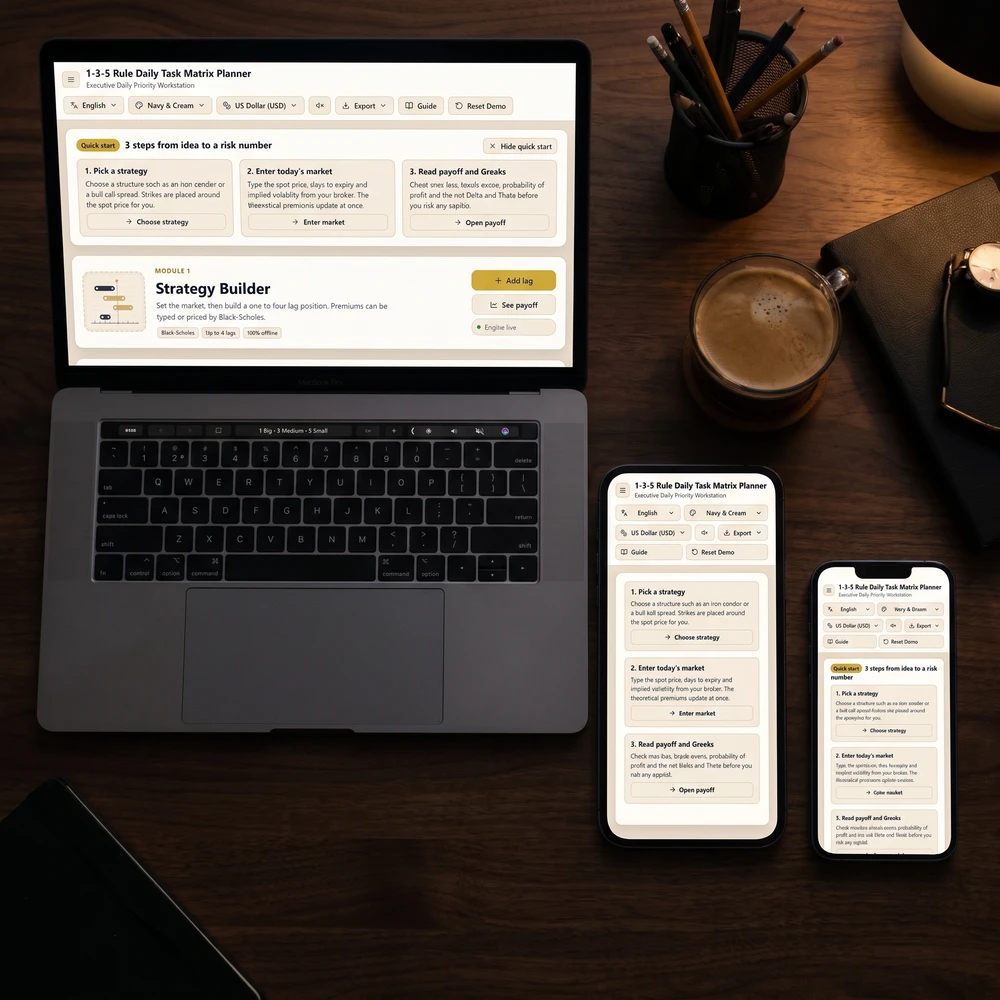
The 1-3-5 Rule Daily Task Matrix: Anti-Overwhelm Focus & Productivity Guide
Master the 1-3-5 rule daily productivity system: organize 1 big goal, 3 medium tasks, and 5 quick wins to eliminate burnout and maintain daily focus.
Read guide
2027 Yearly Planner: How to Set Goals and Choose a Format That You Will Use
A 2027 yearly planner works when goals, habits and weekly reviews connect. Set SMART goals with obstacles, then pick printable, free or digital.
Read guide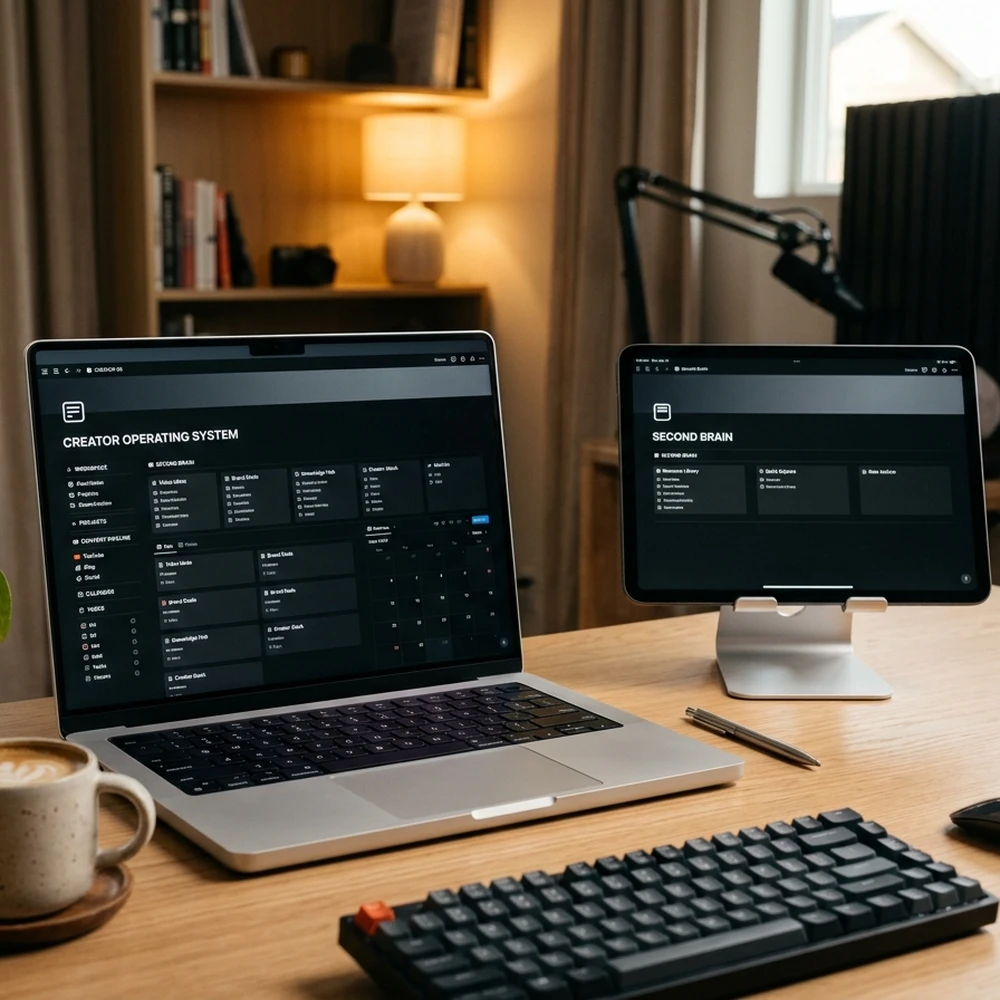
Second Brain Productivity System: The Ali Abdaal & Tiago Forte Creator OS Guide
Master the second brain productivity system with Tiago Forte's PARA method and Ali Abdaal's YouTube workflow template for modern content creators.
Read guide
Go deeper: guide series on this topic
 240 guides
Productivity Frameworks by Profession
Every productivity framework activates specific cognitive rhythms and structural boundaries, requiring disciplined alignment with your profession's core demands to achieve sustained high-performance execution without burnout.
 96 guides
Note-Taking Systems by Persona
Every personal knowledge system establishes specific cognitive pathways and structural boundaries, requiring disciplined alignment with your professional workflow to achieve sustained compounding expertise without cognitive fatigue.
From the blog
Latest articles




Topic Pillar
Mindful Productivity & Focus
Calm time-planning methods, priority checklists, and note-taking habits to get meaningful work done without stress.

Ask Yinyang Masters inside your AI assistant
Get the same calculations and guidance right in your chat: add the free Yinyang Masters app, then ask in plain English. No account needed.
Try asking: “Find a Yinyang Masters guide about starting a daily spiritual practice.”
Put it into practice
Digital tools for this topic
Interactive planners and journals that open in your browser, on phone or laptop.

Most popular
What shoppers search for most
Ranked by what people searched on Google over the last 4 weeks.


Go deeper
Guides on this topic



Keep exploring
More from Yin Yang Masters


Get Your Free 2027 Angel Number Year Map
Enter your birthday to reveal your 2027 Personal Year, the angel number guiding each month, and a private workspace to set your intentions.