

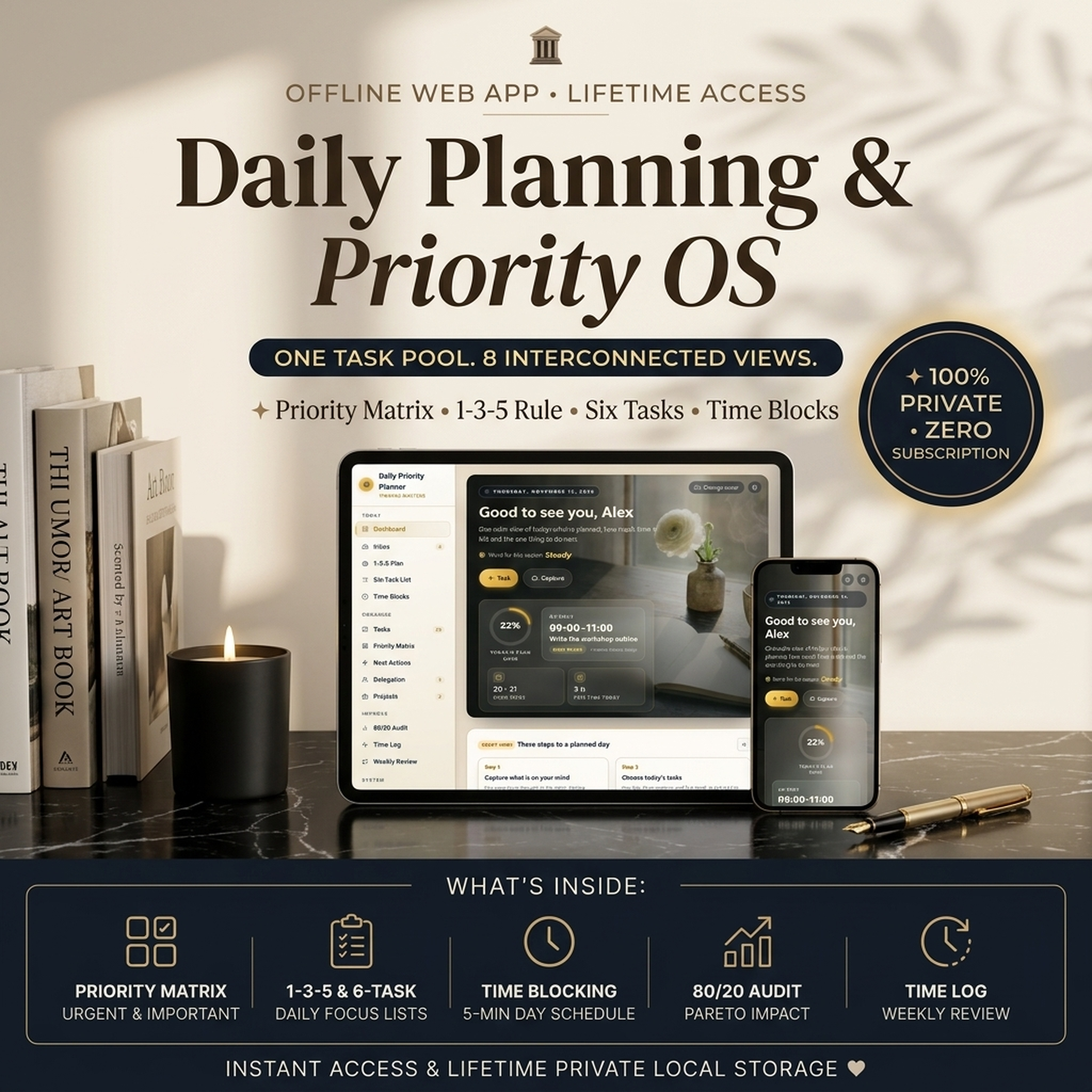
Daily Priority PlannerDaily Priority Planner — Time Blocking, Eisenhower Matrix & Task Manager
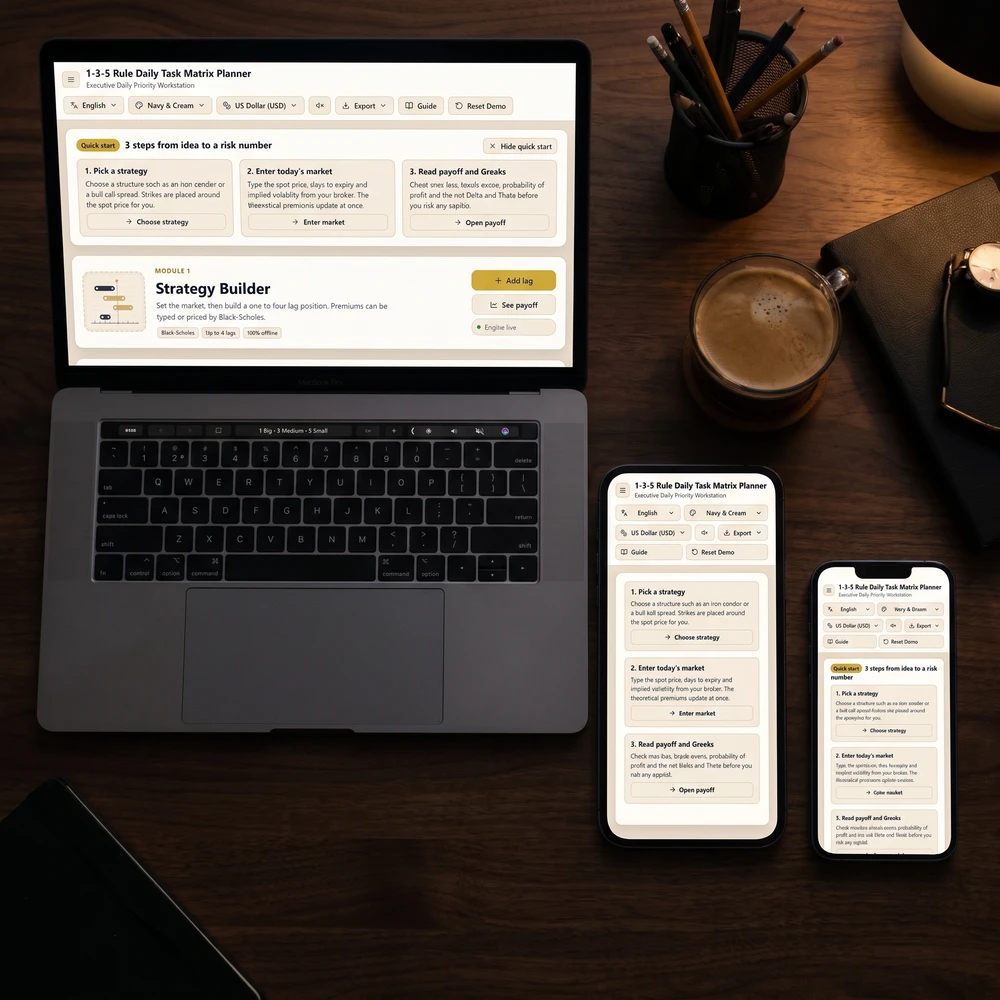
Web app for phone or laptop. Add tasks once, then plan your day as a priority matrix, a 1-3-5 list or time blocks. No birth date needed.
Time Blocking, Eisenhower Matrix & Task Manager
One task list shown as a priority matrix, a 1-3-5 plan, a six-task list and a time-blocked day, so you always know what to do next.
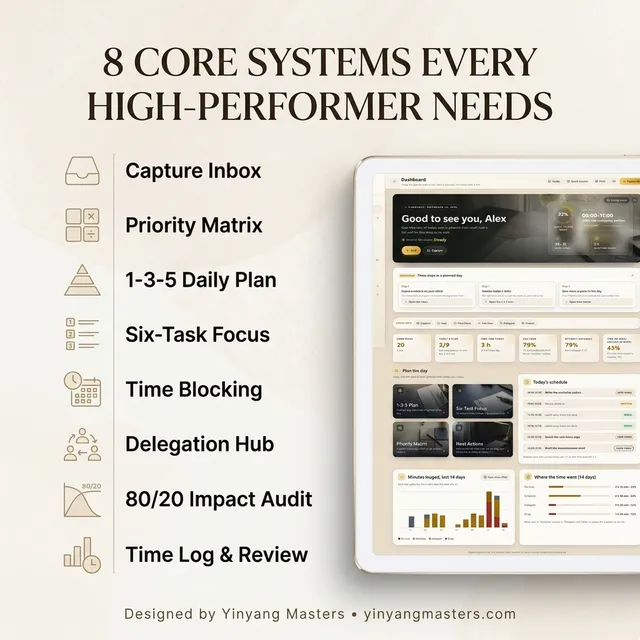
One web app instead of sticky notes and several to-do lists: one task list with four planning views, on phone or laptop.
This is the same routine a community of more than 2,400,000 followers has used for 8 years, with 38,000+ students sharing their results along the way.
Add Habit Tracker & Streak Planner — both in one checkout
Add this companion web app and get both in one checkout:

14-day refund policy ·Read the terms
- Ready to use right after payment
- Secure checkout by Stripe
Before you buy
What's inside
- The Daily Priority Planner web app (15 screens)
- Sample data so you can see how everything connects, and a "Start with a clean slate" button for when you are ready
- A short built-in guide and a quick-actions menu (Ctrl+K or Cmd+K)
- English, Vietnamese and Chinese interfaces, with several color palettes
- A weekly hours limit you set yourself; the app tells you when a week runs long
How to use it in 3 steps
- 1Open it in your browser and spend three minutes in Settings: palette, language, work-day hours, time step and a weekly limit that feels healthy.
- 2Capture everything on your mind in the Inbox, then sort it.
- 3Plan today with the 1-3-5 Plan or the Six-Task List, or both.
This daily planner is built around one idea: every task lives once, and every planning method is just another way of looking at that same list. Tick a task in the priority matrix and it is done in your day plan too. No retyping, no scattered sheets. It is a web app that opens in your browser, works offline and saves on your device.
At a Glance
- Format: Web app (opens in your browser, works offline, saves on your device)
- Devices: Computer, tablet and phone browsers (Chrome, Safari, Edge, Firefox)
- Privacy: Your data stays on your device. Nothing is uploaded.
- Export: Print to PDF, CSV spreadsheet of tasks and time log, full backup and restore
Key Capabilities
- A dashboard you will want to open: a morning-desk cover that shows your next time block, today's plan progress, open tasks and free time. Every page opens with its own photo banner, the dashboard has photo shortcuts to the main pages, and you can add a picture to the cards that matter. Change any cover or card photo from the built-in library of 13 images, or upload your own; your photos stay on your device.
- Inbox: empty your head first, then sort each item into a task, a quick two-minute job, a someday list or a reference note.
- 1-3-5 Plan: nine slots for the day, one big, three medium and five small. A full slot will not take another task, and "Suggest a plan" fills gaps from your own tasks.
- Six-Task List: pick six tasks in order and work from the top.
- Priority Matrix: an Eisenhower-style urgent-versus-important grid. Drag a card or use the "Move to" buttons.
- Time Blocks: a day timeline and a week view. "Put in my day" finds the earliest free gap, shows how much of the day is free and warns you when the plan does not fit. A focus timer logs time to a task.
- Next Actions: what you can do now, filtered by place, energy and time available, plus waiting-for and someday lists.
- Delegation: who has what, the date you check back, and a handoff note you can copy.
- 80/20 Audit and Time Log: see which few items carry most of the impact, and compare real minutes against your estimates to get a multiplier for future guesses.
- Weekly Review: six checks with live counts, three questions and one focus for next week.
- Dashboard: what is late, what is planned, free time, day load and how accurate your estimates are.
Who It's For
Founders, freelancers, managers, students and parents who plan their own day and want one calm place to do it. It suits you if you have tried a different planning method every month and want them to work together instead of living in separate notebooks.
What's Included
- The Daily Priority Planner web app (15 screens)
- Sample data so you can see how everything connects, and a "Start with a clean slate" button for when you are ready
- A short built-in guide and a quick-actions menu (Ctrl+K or Cmd+K)
- English, Vietnamese and Chinese interfaces, with several color palettes
- A weekly hours limit you set yourself; the app tells you when a week runs long
How to Use It
- Open it in your browser and spend three minutes in Settings: palette, language, work-day hours, time step and a weekly limit that feels healthy.
- Capture everything on your mind in the Inbox, then sort it.
- Plan today with the 1-3-5 Plan or the Six-Task List, or both.
- Give the plan a place in the day in Time Blocks and check how much free time is left.
- Close the day: tick what is done, carry the rest to tomorrow and add a line to your evening note.
This planner helps you organize tasks and time. It is not medical, legal, financial or career advice and it promises no result.
Questions before you buy
Any computer, tablet or phone with a modern browser such as Chrome, Safari, Edge or Firefox. It is a web app that opens in your browser.
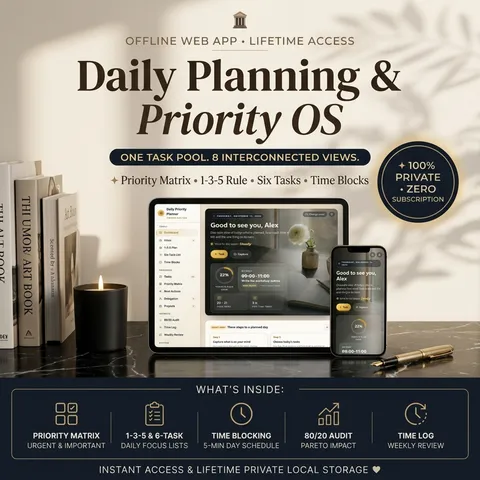
Daily Priority Planner
Pay once. No monthly fee. Ready to use right after payment.
You may also like



How readers changed with these practices
For more than 8 years, a community of over 2,400,000 followers and 38,000+ students has shared how these daily practices helped in love, money and inner calm.
 Real stories
Does Time Blocking Work? Real Planner Stories
Yes, time blocking works when it shows how much of your day is really free. Real stories of calmer days, fewer carry-overs and the planner behind them.
Read guide Real stories
Deep Work Tracker Results: Real Stories
Does a deep work tracker help? Real stories of more focused hours, fewer interruptions and calmer weeks, plus the daily practice inside the lab.
Read guide
Guides featuring this tool

From the blog
Latest articles




You may like
Popular with readers like you
The guides people search for most.

Turn what you just read into a daily practice
Interactive planners and journals built on these guides: moon rituals, manifestation scripting, habit and focus systems. Ready to use right away and yours to keep.

Get the Yin Yang Masters Letter Every Day
One short email a day: a practice for today, a real reader story, and the newest guide on love, money and inner calm.
Follow along
Daily rituals on your feed
Short guides, moon rituals and planner walkthroughs from Yin Yang Masters.




Keep exploring
More from Yin Yang Masters




Ask Yinyang Masters inside your AI assistant
Get the same calculations and guidance right in your chat: add the free Yinyang Masters app, then ask in plain English. No account needed.
Try asking: “Find a Yinyang Masters guide about starting a daily spiritual practice.”

Meet Moon Keeper, our live altar host
Every hour Moon Keeper reads the sky, draws one tarot card and shares a calm 3-minute reflection. Drop by the altar, follow the hourly diary and leave a note in the guestbook.
Get the Yin Yang Masters Letter Every Day
One short email a day: a practice for today, a real reader story, and the newest guide on love, money and inner calm.
For more than 8 years, a community of over 2,400,000 followers and 38,000+ students has shared how these daily practices helped in love, money and inner calm.